
Minecraft Bedrock 26.60: What’s New (Ice Caves, Frostbites, Switch 2 and More)
Minecraft Bedrock Edition 26.60 arrived on October 27, 2026, and it’s a big one. The headline is a chilly preview of the next game drop, with a new Ice Cave biome and a freezing new zombie variant, but there’s plenty more underneath: more than 600 bug fixes, Realms improvements, command changes and a few details that matter to anyone running a Bedrock server.
Here’s a clear rundown of what’s new, what changed and what it means for your world. You can read Mojang’s full notes in the official 26.60 changelog.
Quick Summary
| Area | Highlights |
|---|---|
| Experimental features | Ice Cave biome, icicles, ice crystals, Freezing effect, Frostbite mob and Ice Balls |
| Bug fixes | More than 600 fixes, 89 of them reported by the community |
| Platforms | Minecraft is now available on Nintendo Switch 2, with Vibrant Visuals |
| Realms | Faster, more reliable world uploads and downloads, a free trial on Switch and an updated Members screen |
| Commands | New /time options for pausing, resuming and querying clocks |
| Servers | New server settings and tougher startup checks |
| Creators | Stricter validation for entity and block data, plus new script API releases |
Experimental: The Icy Features From the Next Game Drop
Bedrock 26.60 includes a set of experimental features from the fourth game drop of 2026. You need to turn on the relevant experimental toggle in a world’s settings to try them, and as with all experiments, they may change before release.
The Ice Cave
A new cave biome now generates underneath the colder biomes of the Overworld. It’s built mostly from Packed Ice and Calcite, and it looks very different from other caves:
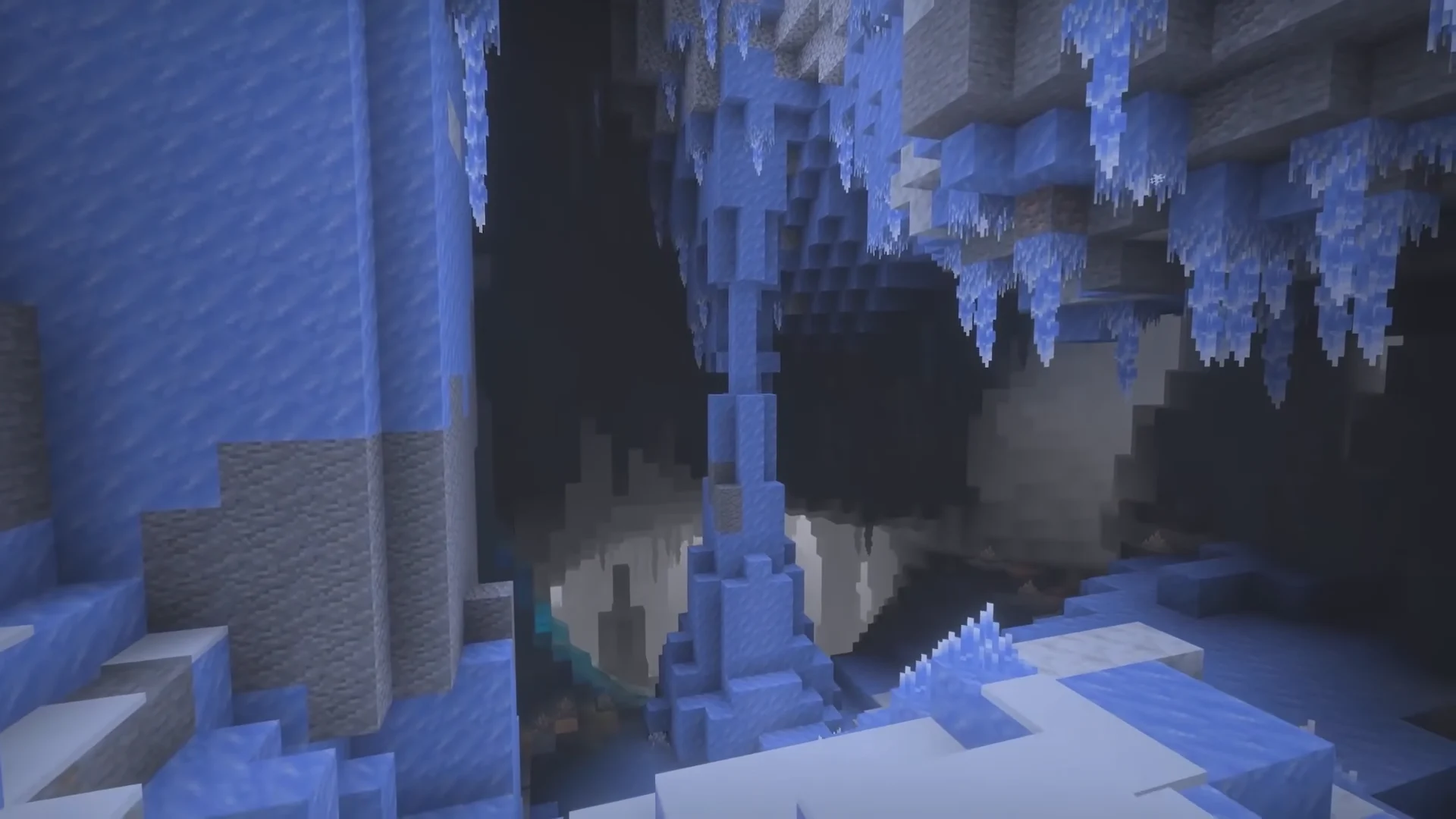
- Icicles hang from the ceiling, and large ice formations rise from the floor.
- Snow patches appear here and there on the ground.
- No Glow Lichen, Dirt or Granite generates in this biome, but ores still appear in pockets of stone and deepslate.
- Strays and Frostbites can spawn alongside the usual cave mobs.
Icicles and Ice Crystals
Icicles are a new dripstone-style block. They can grow up to five blocks long when pointing down, but only in places without nearby light sources and outside the Nether. If the light is bright enough, they can fall, hurting whatever is underneath, with extra damage to anything that lands on them.
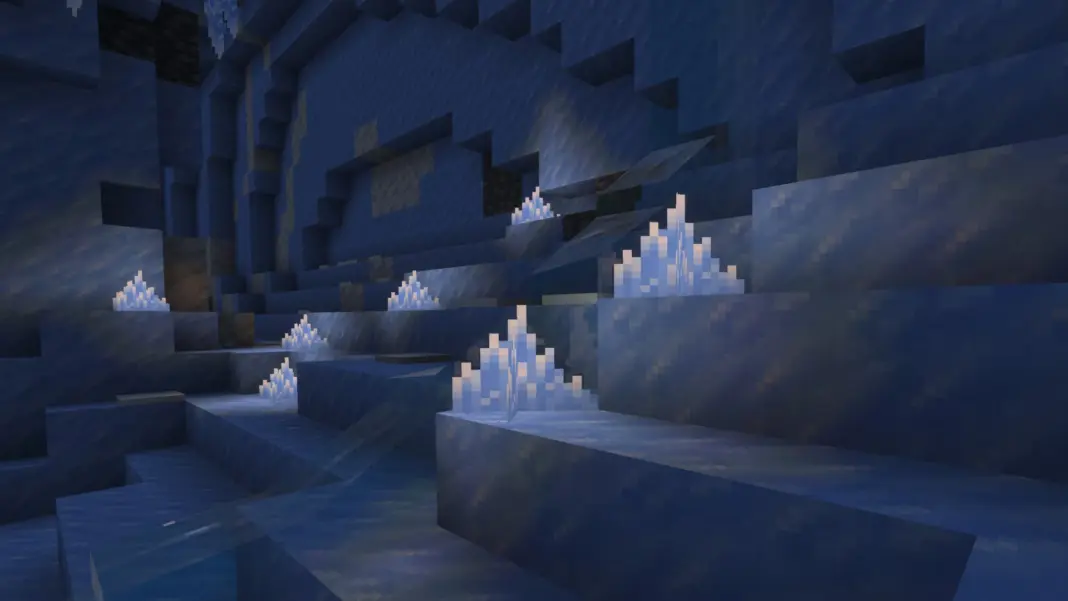
Ice Crystals are a new crystal block, similar to amethyst clusters, and they’re the only light source in Ice Caves. They emit light and can be placed in any direction. One known issue: they’re currently smaller than intended.
The Freezing Effect
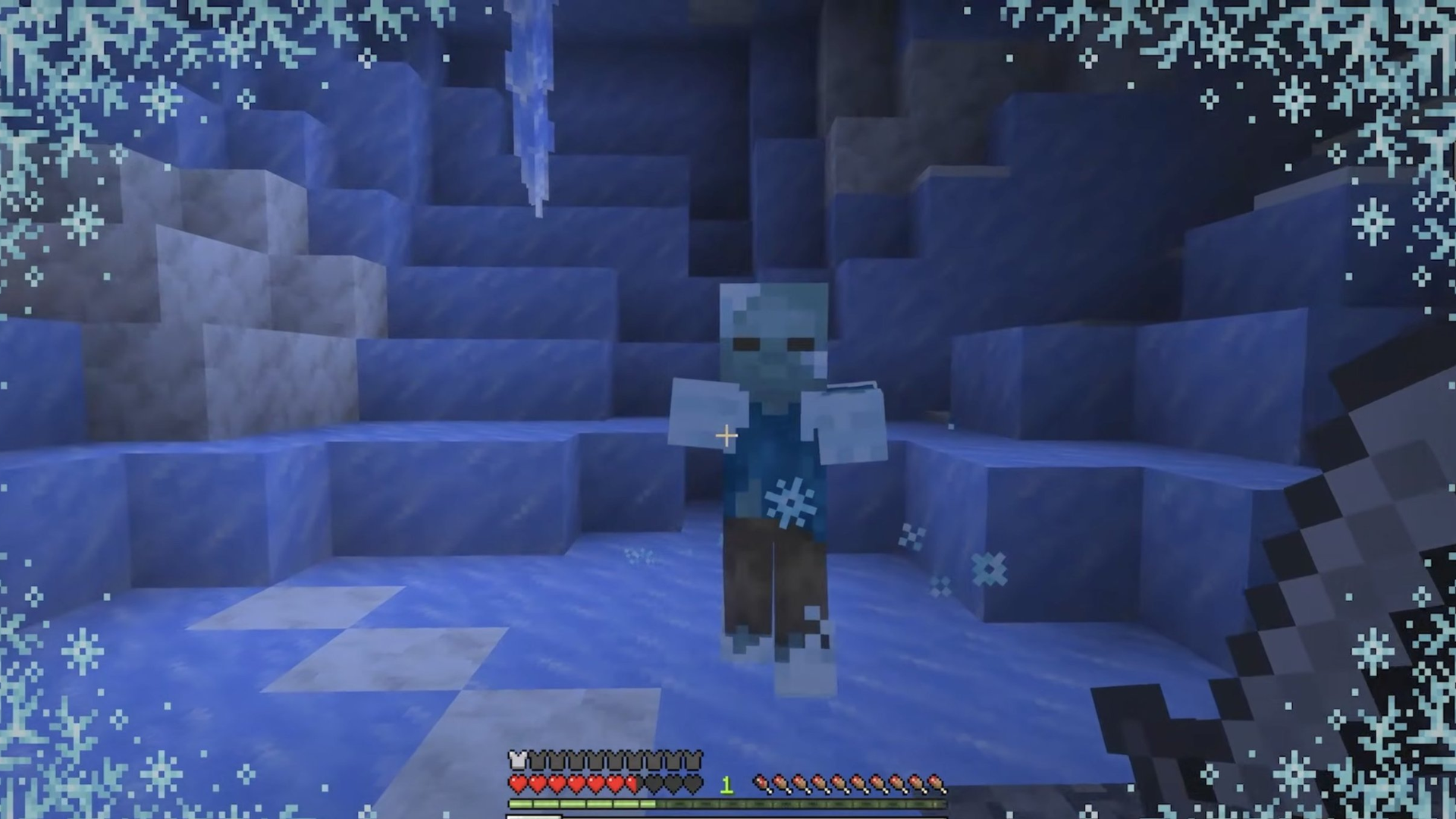
The new Freezing effect makes you shake, lowers your jump height and eventually deals damage, much like standing in powder snow for too long. Leather armor still protects you from becoming frozen, as it does with powder snow, but it won’t stop the effect from being applied. Some mobs take much more damage from Freezing, with vulnerable mobs taking five times as much.
You can brew Freezing potions, including splash and lingering versions, using Ice Balls, and craft an Arrow of Freezing by dipping arrows into a cauldron of the potion.
The Frostbite
Meet the Frostbite, a new zombie variant that lives in cold, icy biomes. It switches between throwing Ice Balls at range and attacking up close, and its melee hits apply Freezing. Frostbites are immune to freezing, can stand on powder snow and drop Rotten Flesh and Ice Balls. Zombies and Husks that spend time in powder snow now turn into Frostbites, and a Frostbite will turn back into a Zombie if it spends long enough underwater.
Ice Balls are the Frostbite’s projectile. They deal 4 damage, scaled down with velocity, and break on impact.
Tip: Treat experimental features as a test. Create a separate test world, and never enable them on a world you care about without a backup first.
Gameplay Changes Worth Knowing
With more than 600 fixes, there are too many to list, but these stand out:
- Explorer maps have clearer names. The Ocean, Swamp, Trial, Woodland and Jungle maps are now called Ocean Monument, Swamp Hut, Buried Trial Chambers, Woodland Mansion and Jungle Pyramid maps.
- Pistons are more consistent. Pistons now push or damage entities based on whether those entities can be pushed by blocks, and Shulkers can now be moved by pistons, matching Java Edition.
- Trapdoors have snappable placement. Holding the place control keeps new trapdoors facing a fixed direction until you release it.
- Fall damage is more accurate. You now take fall damage when landing on a solid block at the edge of water.
- Effects behave better. A weaker, longer effect now resumes correctly after a stronger, shorter one of the same type ends, and Axolotl regeneration can no longer be stacked endlessly.
- Sneaking isn’t interrupted by water, and Wind Burst maces no longer launch you when hitting non-living things such as boats and minecarts.
- Lag spikes are reduced when opening an Abandoned Camp chest for the first time, and Lush Caves now generate properly in very humid regions.
- Redstone fixes improve how dust connects visually, and snow now produces vibrations when placed.
- Drowned and other mobs look closer to Java Edition, and Drowned helmets are now visible.
Realms and Nintendo Switch 2
- Minecraft is now available on Nintendo Switch 2, with support for Vibrant Visuals.
- Realms free trials are now available on Nintendo Switch.
- World upload and download got major speed and reliability improvements.
- The Members screen has been redesigned. You can now invite players by search without making them an Xbox friend first, and the screen shows recommended friends.
- Realm owners get a help guide in a new “Learn more” tab in settings.
Realms are a convenient way to play with friends, but they have limits on customization and control. If you want full control over plugins, add-ons, backups and who can join, a dedicated server may suit you better.
Commands and Time Changes
Time commands got a big update, and the old “Creator World Clocks Features” experiment has been removed. These options are now available without an experiment:
/time pause,/time resumeand/time query timecontrol and check the Overworld clock./time set <TimeMarker>replaces the old time specification, withnext,previousorstayoptions.- A new
/time of <clock>command lets you add, set, pause, resume or query any world clock.`-/time` can no longer set a negative value, and overflowing values wrap around to the equivalent time on the first day.
Other command fixes include a bug that could kick players when a selector matched no entities, and several /fill, /setblock and /clone issues involving redstone and pistons.
What Bedrock Server Owners Should Know
If you run a Bedrock dedicated server, a few of the technical changes are worth a look:
- New server settings. You can now configure limits for persistent and transient ticking areas, including unlimited settings, and settings that observe or enforce entity attack request compatibility and targeted-actor range.
- Stricter startup checks. Dedicated servers now exit cleanly if the allow-list and online-mode settings are incompatible, instead of running in a confusing state.
- A louder warning about RakNet. If you aren’t using NetherNet, the server now shows an error instead of a suggestion, because RakNet is deprecated. Plan to move to NetherNet if you haven’t already.
- Fewer stutters and crashes. Fixes target stutter with mobs and items across play sessions, and a crash when loading worlds with large, densely connected structures such as fences, glass panes and walls.
- Smaller structure files. Exported
.mcstructurefiles now use zlib compression.
Updating checklist:
- Take a backup of your world and configuration.
- Update the server to 26.60.
- Make sure your players update their game, because mismatched versions are the usual cause of connection problems.
- Check your add-ons (see below) before inviting everyone back.
What Add-On Creators Should Know
- Stricter data checks. From version 1.26.60, many entity components and AI goals will fail to load if their JSON contains invalid data. Review your entity files before updating a live server.
- Collision boxes use arrays.
minecraft:collision_boxno longer accepts a single box object in 1.26.60 format, so it needs to be an array. - New stable scripting features.
@minecraft/server2.11.0 releases the World Clock API,Dimension.spawnXp, sound instance controls and looping sounds, and more. - UI forms improve.
@minecraft/server-ui2.3.0 adds tooltips and button icons. - Experimental additions include new block events, entity storage in blocks and more, behind Upcoming Creator Features.
Frequently Asked Questions
When was Minecraft Bedrock 26.60 released?
October 27, 2026.
What’s the biggest new feature?
The experimental Ice Cave biome and its freezing mobs and effects, previewing the next game drop.
Do I need to enable anything to see the Ice Caves?
Yes. They’re experimental, so you need to enable the relevant experimental toggle when creating or editing a world.
Is Bedrock 26.60 on Nintendo Switch 2?
Yes. Mojang states that Minecraft is now available on Nintendo Switch 2, with Vibrant Visuals support.
Will my add-ons still work?
Many will, but 1.26.60 is stricter about invalid entity data and collision box formats. Test your add-ons before updating a live server.
How do I update my Bedrock server?
Back up first, update the server to 26.60, and make sure your players update their game. Check your control panel’s version settings for the options available on your plan.
Can I try the new features on a server?
It’s best to test experimental features in a separate world. Don’t enable them on a world you care about without a backup.
Run Your Own Bedrock Server With AleForge
Want a world your friends can join on Xbox, PlayStation, Switch, mobile and Windows, any time? AleForge hosts Minecraft Bedrock Edition with:
- An always-online world, with no need to keep your device running
- Blacksmith’s Portal, with a live console, file manager and config editor
- One-click, scheduled and nightly backups
- DDoS protection
- 24/7 support by ticket, live chat and Discord
 AleForge
.png)

