
Top 5 Minecraft Bedrock Seeds for 26.60
The 26.60 update, Wilderness Bound, added dappled forests, poplar trees and new building blocks, and it changed what a lot of worlds look like. A seed that was famous a year ago can generate very different land today, so a list written for an older version can send you to a spawn that no longer matches.
These five seeds were found on Bedrock 26.60. Between them you get a calm village start, an autumn lake, a small island, a dangerous Ancient City and one seed that is simply easy to type. Pick the one that fits how you want to play, and read the tips under each seed before you jump in.
Every seed below is for Bedrock Edition 26.60. Java Edition builds the same seed number into a different world, so don’t use these there.
| Seed | What you get at spawn | Best for |
|---|---|---|
-4295288593039690435 |
Plains village on a peninsula, twin dappled forests, surface lava pool | A relaxed first base and an early Nether trip |
-2037014421657259075 |
Autumn dappled forest, lake, abandoned camp, villages, amethyst geode | Scenery and builders |
-4832067533481218653 |
Village and dappled forest on an island | Survival with everything close by |
6246624828333901322 |
Ancient City near spawn | Experienced players after early loot |
2582740 |
Short, easy-to-share seed | Friends, SMPs and realms |
How to use a seed
- Open Minecraft Bedrock and tap Play, then Create New World.
- Scroll down to Advanced and find the Seed box.
- Paste in the number. Include the minus sign if there is one.
- Create the world and wait for it to load.
If your spawn doesn’t match the description, check that you are on version 26.60 and that you copied every digit.
1. Plains village peninsula with twin dappled forests
Seed: -4295288593039690435
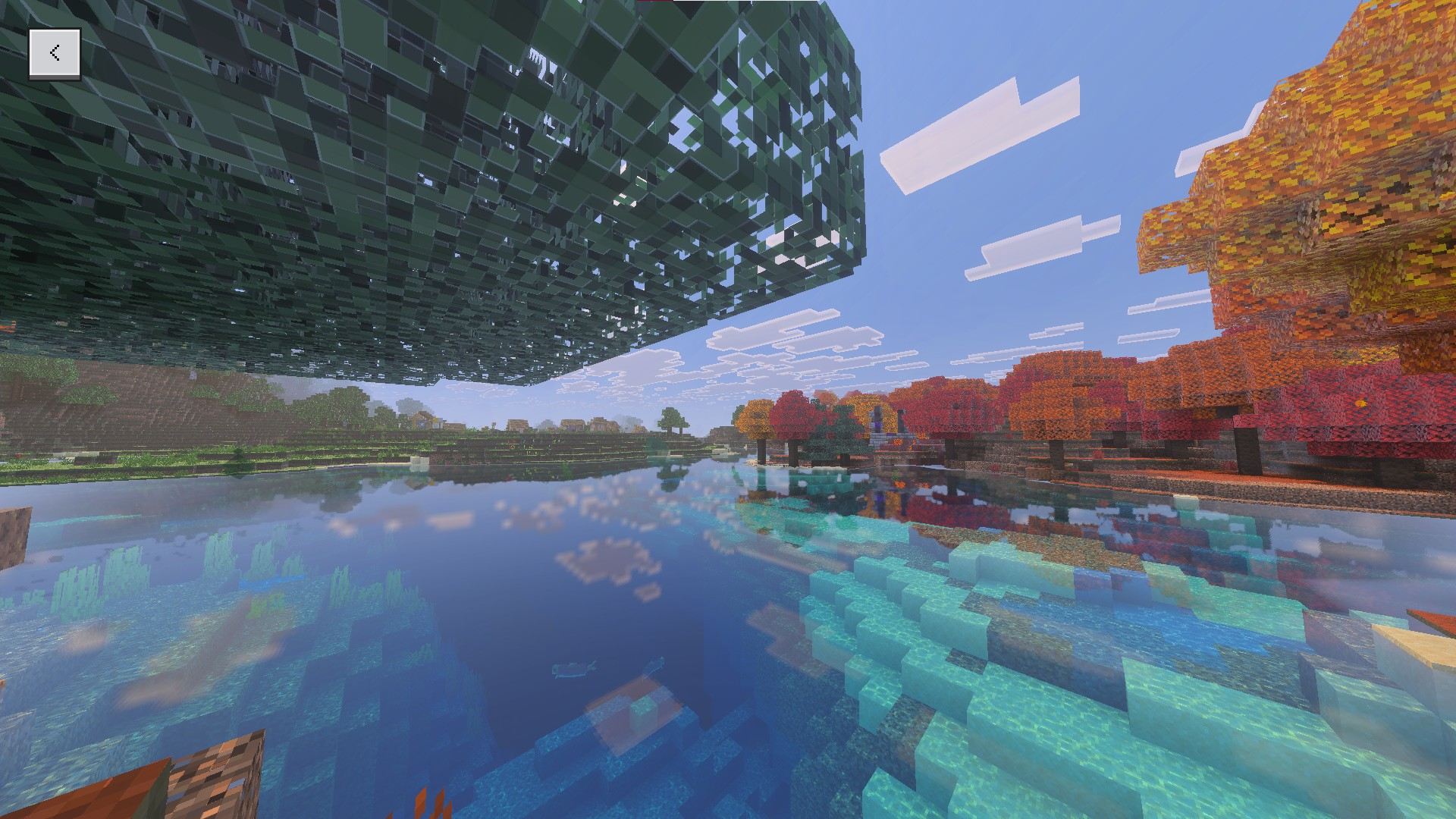
You spawn at a plains village on a green peninsula, with a dappled forest on each side. It is a gentle start. The village gives you villagers to trade with and crops to harvest from the first day, and the forests on both sides mean wood is only a short walk away. You can get your first tools without a long trip.
The feature that sets this seed apart is the lava pool on the surface, right at the entrance. Lava on the surface is usually a danger, but here it works as a shortcut to the Nether.
How to use the lava pool safely:
- Craft a bucket and fill it with water from the nearest lake or river.
- Pour the water over the lava from a safe spot. Water on a still lava source turns it into obsidian. Water on flowing lava turns it into cobblestone.
- Mine the obsidian with a diamond pickaxe. A Nether portal needs at least 10 obsidian blocks.
- Build the portal frame and light it with flint and steel.
Take your time with step 2. Never stand where the lava can flow onto you, and keep a few blocks and a water bucket nearby.
Good for: a relaxed first base with a village next door, and players who want a Nether portal as soon as they have a diamond pickaxe.
2. Dappled forest lake with an abandoned camp
Seed: -2037014421657259075
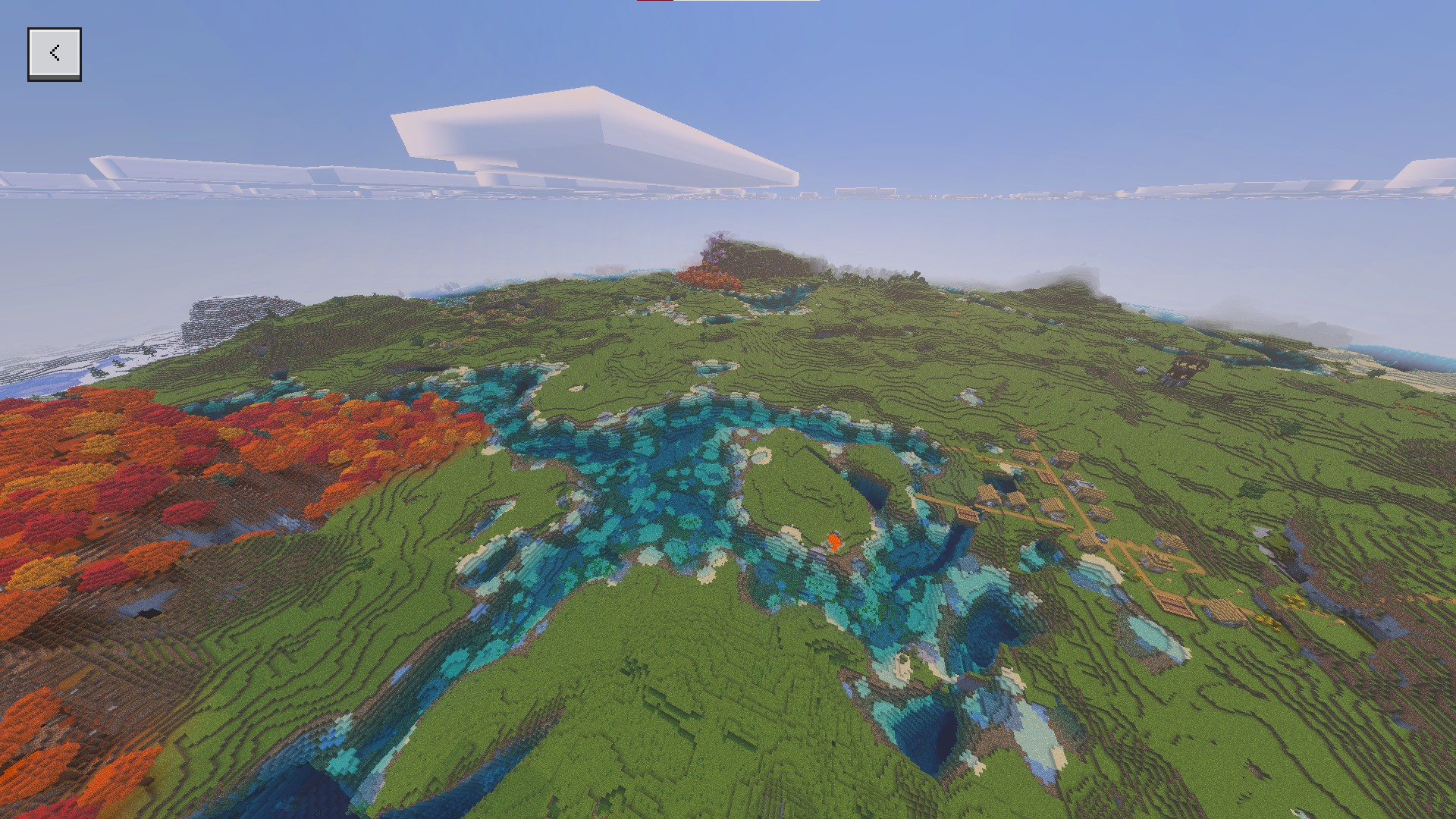
An autumn dappled forest wraps around a lake, with an abandoned camp on the shore and villages close to spawn. It is one of the prettier starts on this list, and the warm colors of the forest against the water make it a good place for screenshots.
Three things to look for:
- The abandoned camp on the lake shore. Look around it for anything useful, but don’t count on a specific loot.
- The villages near spawn, which give you trading and food early.
- An amethyst geode under the water. Amethyst shards are used for crafting, including tinted glass and spyglasses, so it is worth the trip.
The geode is at about 800, -300, which is a long walk from spawn. Turn on Show Coordinates in your world settings so you can track your position, and bring a boat, food and a bed so you can set a spawn point near it. You will need a pickaxe to break the geode’s outer layers.
Good for: builders, screenshot hunters and anyone who likes a calm, colorful start.
3. Dappled forest village island
Seed: -4832067533481218653
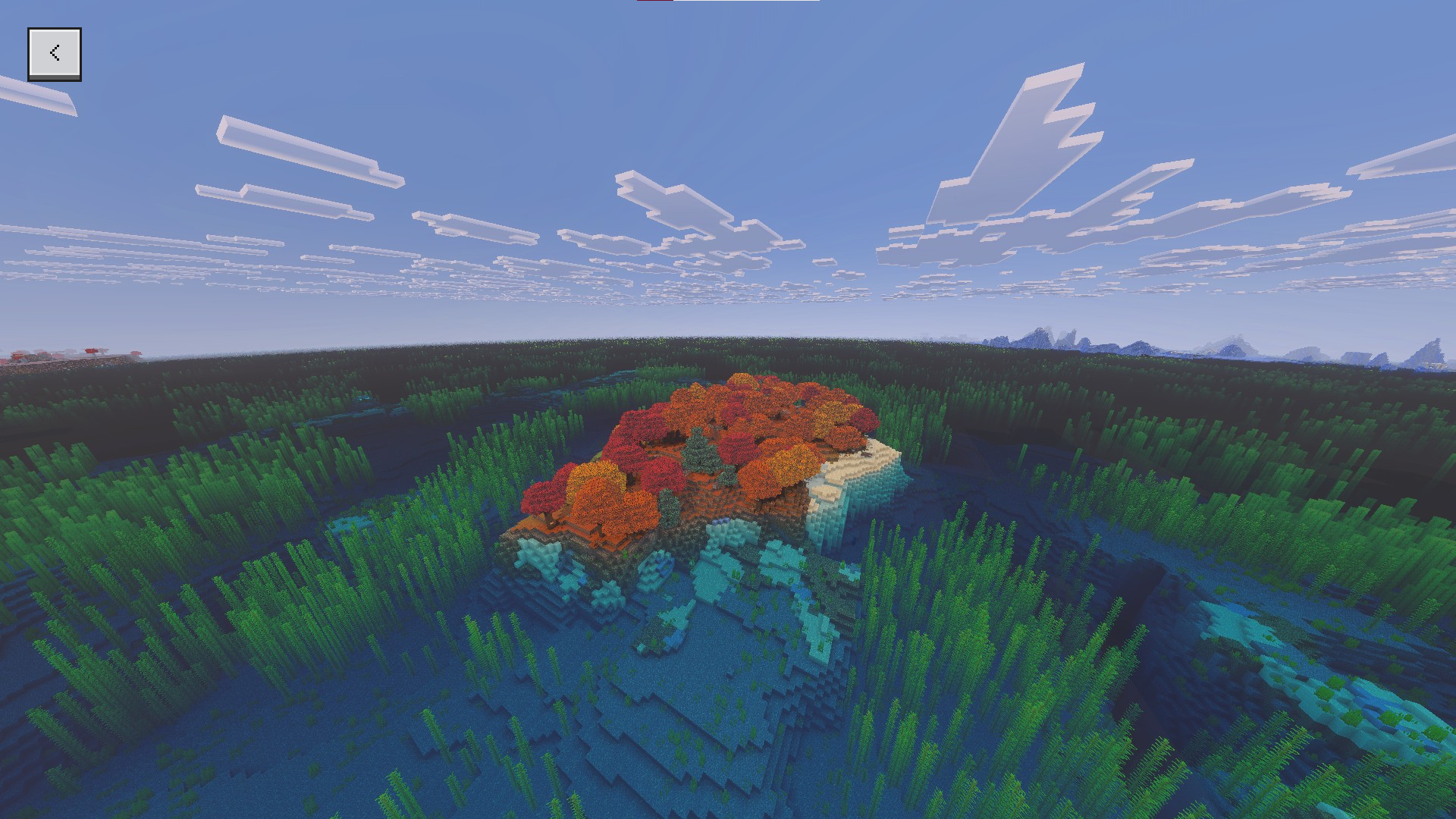
This seed puts a village and a dappled forest together on one island. You get trees for wood, villagers to trade with and open water around you, all within a short walk of spawn. Nothing important is far away, so you can set up a base on day one and spend the first few nights close to home.
A few tips for an island start:
- Light the island up. Water around you doesn’t stop monsters from spawning on the land at night, so place torches early.
- Build a boat. Once you have wood, a boat is the fastest way to see what is around the island.
- Farm and trade. The village gives you a head start on food. Trading with villagers early can get you tools and emeralds without much mining.
If you like having a clear border around your base, an island makes that easy.
Good for: survival worlds where you want a village, wood and water all close together.
4. Ancient City at spawn
Seed: 6246624828333901322
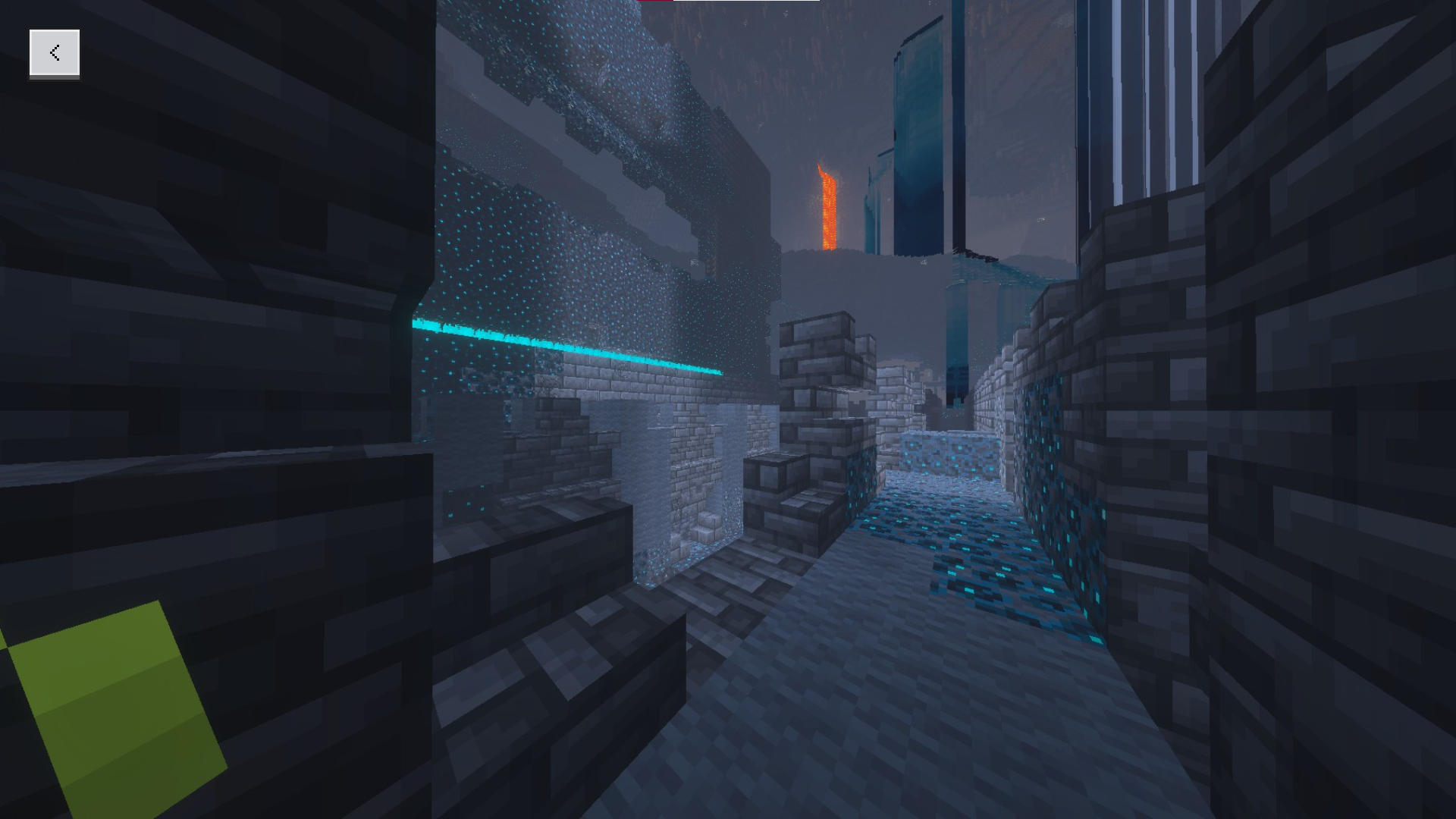
This seed is listed as having an Ancient City right by the spawn point. Ancient Cities are normally deep underground and far from where you start, so one nearby is a big shortcut to good loot. It is also the most dangerous seed on this list.
Why people go in: Ancient Cities hold items you can’t easily get anywhere else, including echo shards for recovery compasses and enchanted books such as Swift Sneak.
Why you should wait: the sculk shriekers inside can summon a warden, and a warden can kill a player in starter gear in a couple of hits. Before you go in:
- Bring good gear. Enchanted armor, a strong weapon, food and a lot of blocks.
- Sneak. Walking makes noise that sculk sensors pick up. Sneaking keeps you quieter.
- Use wool. Wool blocks vibrations, so placing it can stop a sensor from spreading the noise.
- Plan your exit. Know the way out before you go deeper.
The listing only describes this seed as “Ancient City at spawn,” so check exactly where the city sits when you load the world, and don’t walk in before you are ready.
Good for: experienced players who want early loot and a real challenge.
5. The short seed: 2582740
Seed: 2582740
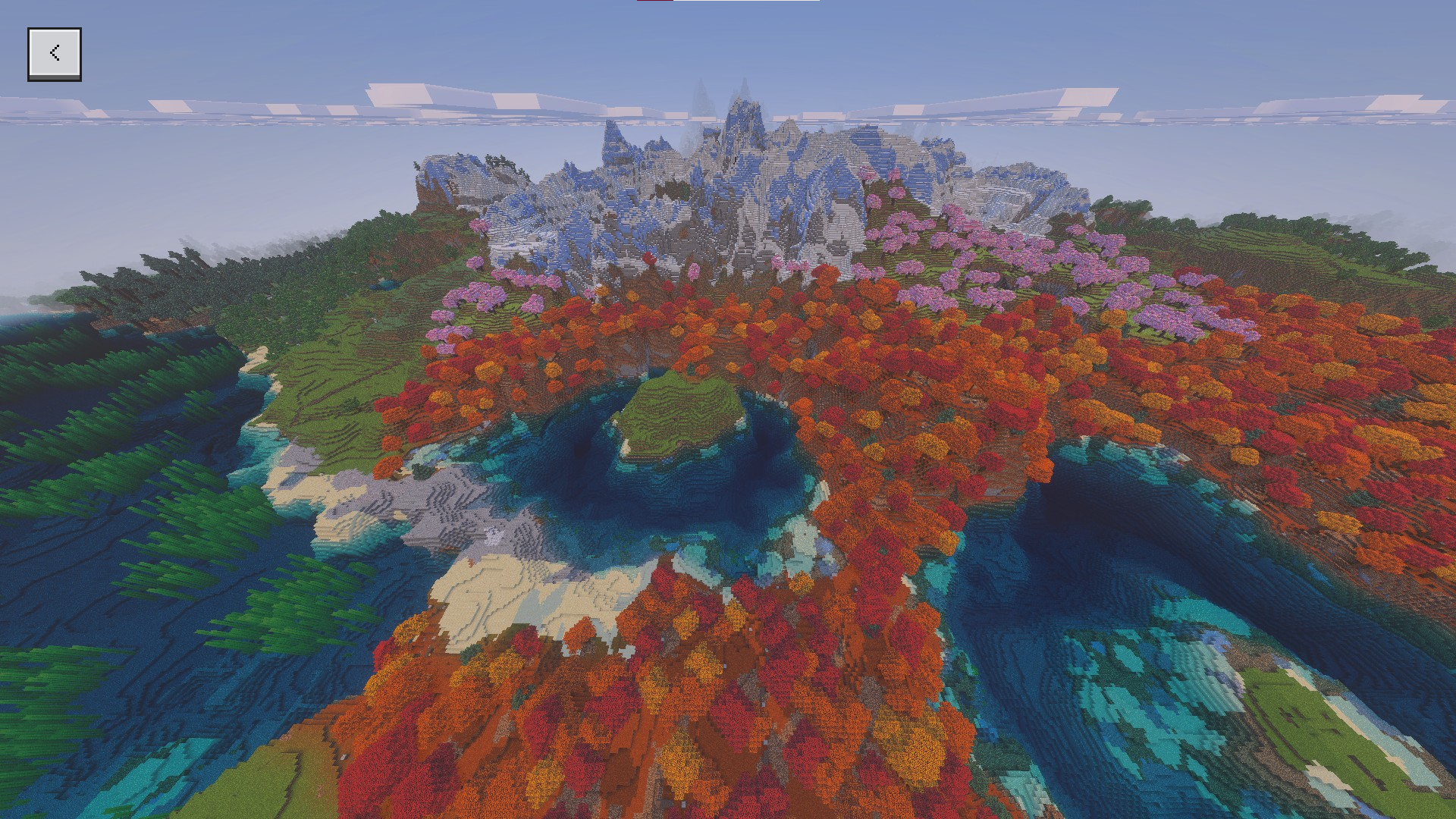
This seed is a popular pick for Bedrock 26.60, and its main advantage is that it is short. Most seeds are 18 or 19 digits long, and one wrong digit gives you a completely different world. A seven-digit number is easy to type, easy to read out in voice chat and hard to get wrong.
That makes it a good choice when you are starting a new SMP or a realm with friends. Everyone can type the same seed in seconds, so you all end up in the same world.
There is little detail online about exactly what spawns near this seed, so treat it as a fresh start rather than a promise of a specific village or structure. Take a look around when you load in and see what you find.
To share your own world’s seed later, open the world’s Game settings. The seed is listed there, and you can copy it for friends.
Good for: sharing with friends without copy-and-paste mistakes.
Want to play these seeds on a server?
You can run any of these seeds on your own AleForge Minecraft Bedrock server, so you and your friends can play together any time without anyone having to keep their game open.
- Open the AleForge Panel.
- Go to the
Consoleand stop your server. - Open
File Manager. - Open
server.properties. - Find
level-seedand paste in the seed you want, for examplelevel-seed=2582740. - Find
level-nameand change it to a new name, for examplelevel-name=Seed World. - Save your changes.
- Go back to the
Consoleand start your server.
The server only uses the seed when it creates a new world. Changing the world name tells it to generate a fresh one with your seed. Your old world is not deleted, and you can switch back to it by changing level-name back.
Join the server once it has finished starting and check that your spawn matches the description. If it doesn’t, check that your server is on Bedrock 26.60 and that you copied every digit, including the minus sign.
Need a server to try these on? Check out our Minecraft Bedrock hosting plans at aleforge.net.
 AleForge
.png)

