Terraria’s mod scene still runs through tModLoader. Whether you want a full content overhaul like Calamity or small quality-of-life fixes, mods are how most long-time players keep the game fresh.
If you want those mods online 24/7 for friends, you need a dedicated server, not someone’s laptop. AleForge Terraria server hosting supports tModLoader, Vanilla, and TShock so you can pick the stack that fits your group.
Looking for our older roundup? See Top Mods for Terraria in 2023.
How Terraria mods work
Most popular mods install with tModLoader (free on Steam). Players and the server must run the same tModLoader version and the same enabled mods, or joins fail.
A few older projects ship as standalone mods, but for current multiplayer the default path is tModLoader. For server-side install steps, see our add mods to tModLoader guide and Terraria server types overview.

1. Calamity Mod
Calamity is still the flagship content mod: new bosses, biomes, classes, gear, and a long post-Moon Lord endgame. It is the usual pick for groups that want a full second campaign on top of vanilla Terraria.
Expect a heavier server than vanilla. Dedicated modded Terraria hosting with tModLoader makes it much easier to keep a Calamity world online for co-op.
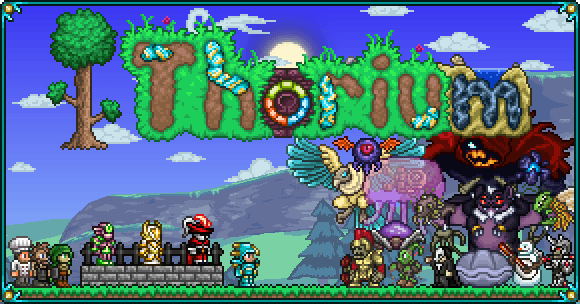
2. Thorium Mod
Thorium adds bosses, biomes, items, and classes (including the bard). It is a strong “more Terraria” expansion that pairs well with friends who want new progression without going full Calamity difficulty.
It also stacks with other content mods when compatibility allows. Always check the current tModLoader workshop notes before mixing large packs.
3. Spirit Mod
Spirit expands exploration with new biomes, enemies, and loot while staying closer to vanilla’s tone than mega overhauls. Good middle ground if Calamity feels like too much and vanilla feels like too little.
4. Terraria Overhaul
Overhaul reworks combat, movement, and world feel (dodges, tree physics, tougher AI, and more). It is less “new campaign” and more “vanilla with sharper edges,” which many veterans prefer for replay runs.
5. Magic Storage
Not every great mod remakes the game. Magic Storage links chests and crafting into a searchable network so you spend less time hunting for bars and more time building or fighting.
For multiplayer servers, QoL mods like this are almost mandatory once the base grows.
6. Recipe Browser / Boss Checklist / similar QoL
Recipe Browser, Boss Checklist, and similar helpers do not change balance much. They help groups coordinate progression and craft lists. On a dedicated server, enable the same QoL set for everyone so nobody is stuck guessing recipes mid-fight.
7. Cross-mod / themed packs
Crossovers and theme mods (from big franchises to small sprite packs) come and go with tModLoader updates. Before you commit a public server to a niche pack, confirm it is maintained for the current tModLoader build and that every player can install it cleanly.
Running these mods on a dedicated server
Self-hosting tModLoader works for a night of LAN play. It gets painful when friends need the world up while you sleep, when Calamity-sized packs chew CPU/RAM, or when everyone must stay on matching mod versions after every update.
On AleForge you can:
- Order a Terraria plan
- Switch the server type to tModLoader (how to change server type)
- Install and enable your mods (tModLoader mod install guide)
- Share the address and keep the world online 24/7
Prefer admin tools and protection instead of content mods? Use TShock. Want pure vanilla? Stay on the base Terraria type. All three are available on the same product page.
Start your modded Terraria server
Pick the mods your group actually wants, match versions on every client, and host them on hardware that stays online. When you are ready, spin up Terraria server hosting with tModLoader and get back to the fight.

 AleForge