Iron Gate’s 1.0 release is out of Early Access today. It adds the Deep North, day-one PlayStation 5 and Nintendo Switch 2 versions, and crossplay across PC, Xbox, PS5, and Switch 2. Existing owners get the update for free.
AleForge servers are on the live dedicated build. If you already host with us, start the server after Steam pushes that build. Opening a new world for Deep North? Valheim plans are live.
To mark launch we are running 30% off the first month on vanilla and BepInEx plans through September 23, 2026. Code G212PNDEVQ, or open the configurator and it applies automatically.
What 1.0 changes on a dedicated server
The patch is the Deep North update: a new frozen biome, rideable moose, Winding Tunnels, the Frost Foundry, Nord weapons, the Frostfire grappling hook, new boss cinematics, and more than 50 achievements. Iron Gate’s 1.0 FAQ is the source of truth for saves and mods:
- Old worlds still load. New biome generation only fills unexplored map. A fresh world is the cleanest Deep North run.
- Cheats and some world modifiers can lock achievements. That flag is per character and world.
- Player count stays 1–10.
- There is no official mod support. Mods will lag the patch. There was no public test branch.
- Crossplay is on for every platform. World saves do not sync from a Steam PC world onto PS5 or Switch 2.
If you planned this weeks ago, our server-owner prep guide still applies: backup, decide old world vs new, then test before you invite the group.
Day-one hosting on AleForge
We run the official dedicated server. After 1.0 is on Steam:
- Stop the server and take a panel backup.
- Let the server update (or reinstall the Valheim egg if you were pinned).
- Confirm
World NameonStartupif you are keeping an old save. - Start, join, and check the new north only after you decide whether that map should generate Deep North.
Need a clean 1.0 world? Change World Name on Startup as in how to reset your Valheim world. Want to bring a local save? Upload the .db and .fwl files.
World modifiers still live on Startup and in our Valheim World Modifiers tool.
Thunderstore Mod Manager in Blacksmith’s Portal
We also shipped a Valheim Mod Manager in the panel, the same idea as our Factorio and Project Zomboid managers. It talks to Thunderstore only. You browse mods and modpacks, install with dependencies, uninstall, and apply updates without zipping a profile and uploading it over SFTP.
Vanilla cannot load those plugins. If you are not already on Valheim BepInEx, Game Swap first. Steps, including how slots and backups work now: How do I install mods on my Valheim server?.
Browse, search, and install
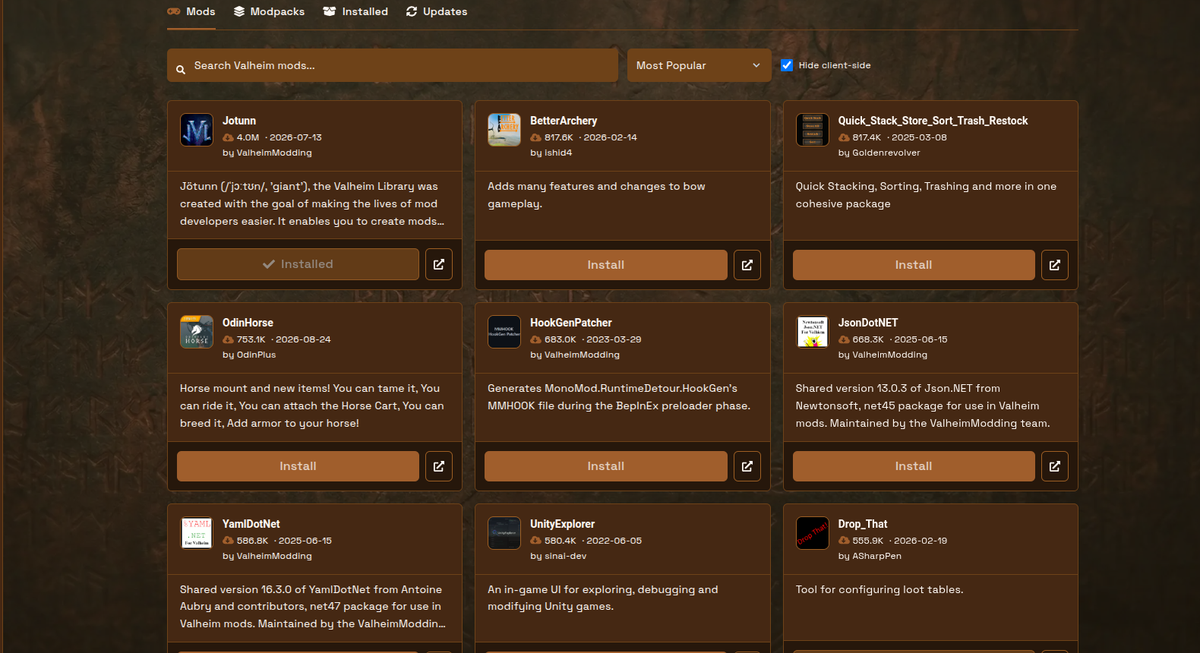
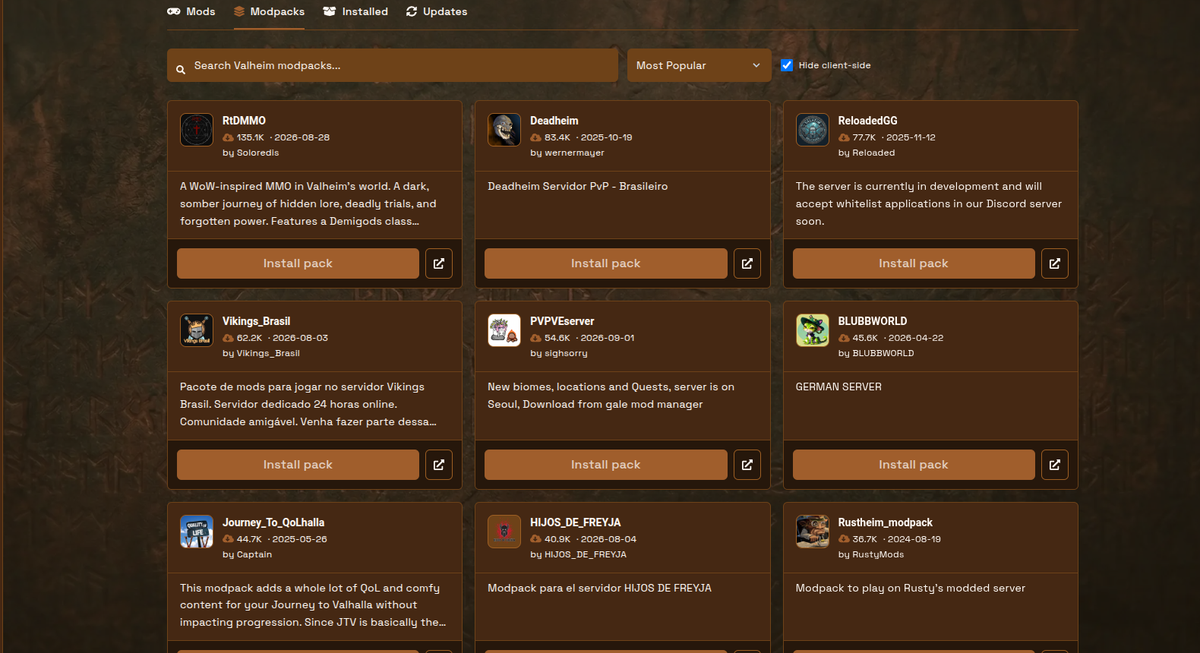
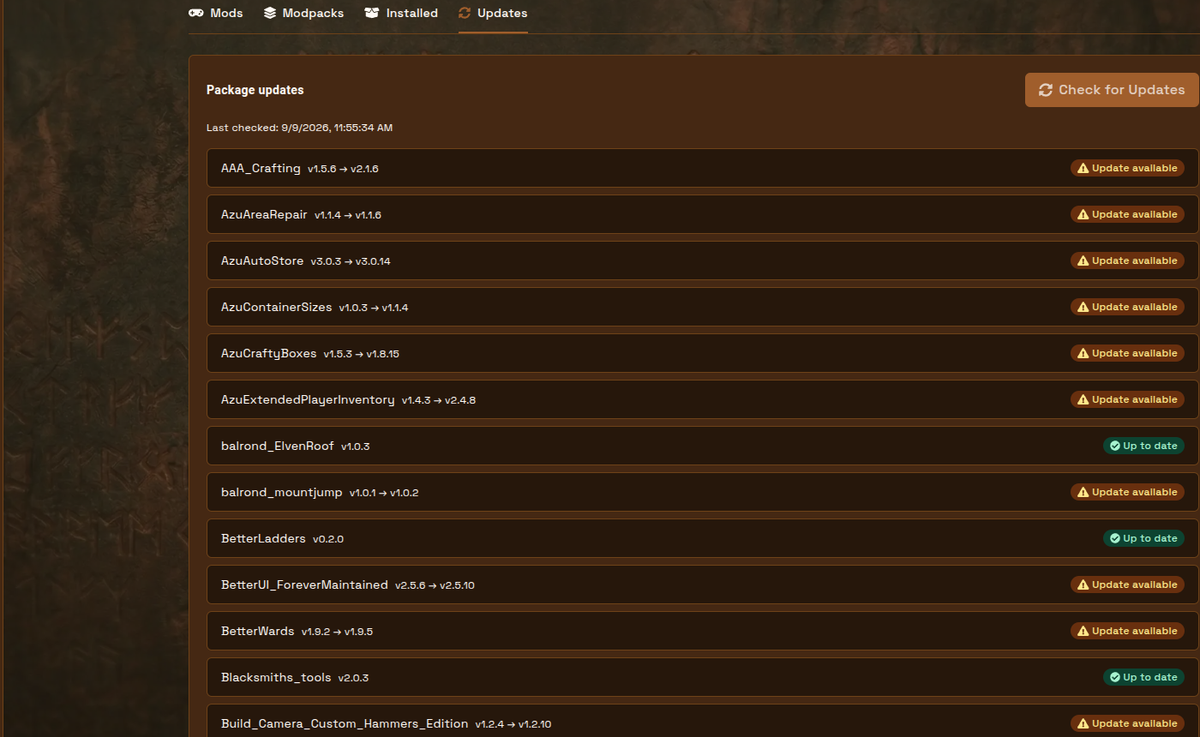
Open the server and click Mod Manager in the sidebar (the page heading is Valheim Mods). There are four tabs: Mods, Modpacks, Installed, and Updates.
- Card grid from Thunderstore: icon, title, author, download count, last updated, short description.
- Search (
Search Valheim mods.../Search Valheim modpacks...). - Sort: Most Popular, Last Updated, Newest.
- Hide client-side is on by default so dedicated servers are not filled with UI-only packs. Uncheck it only if you know you need that package.
- Install on a mod. Install pack on a modpack, then Confirm install. Optional Replace existing plugins wipes
/BepInEx/pluginsbefore the pack; it does not remove BepInEx. - A progress bar shows queued, downloading, installing dependencies, and done.
- Restart after install. Plugins do not hot-load.
- Players still install the same mods on their clients.
Installed, uninstall, and updates
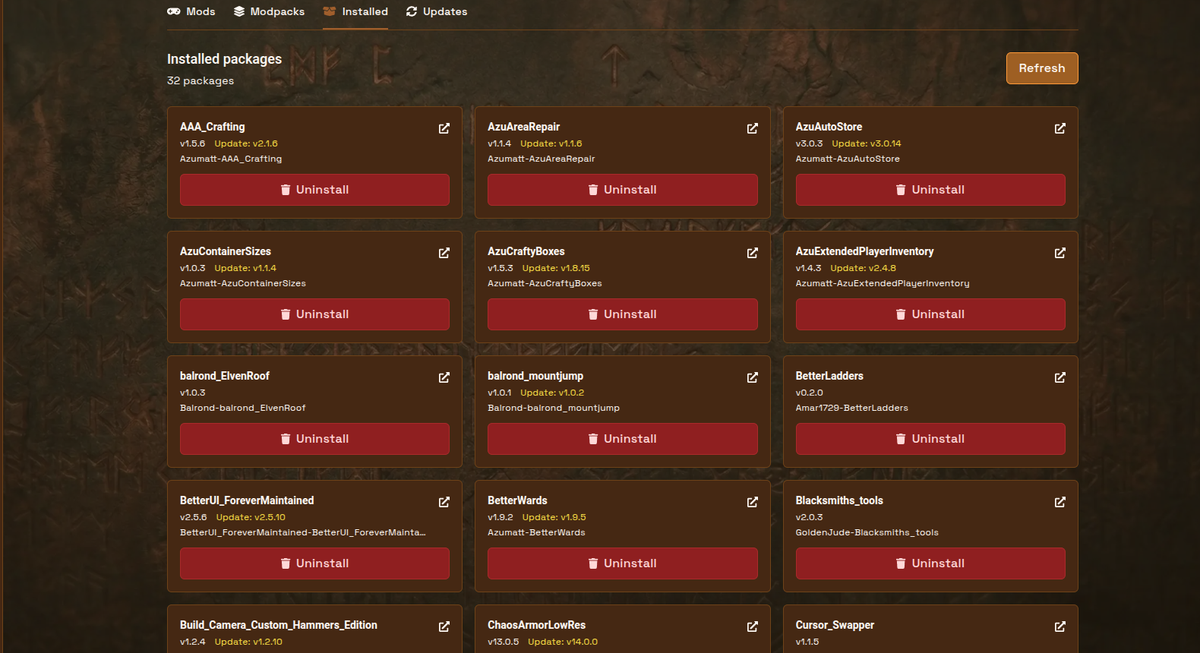
Installed lists packages this manager placed on the server, with Uninstall (confirm first). BepInEx cannot be uninstalled here. Zips you dropped into BepInEx/plugins yourself will not show up until you install them through Mod Manager.
Updates checks Thunderstore, shows Update available or Up to date, and can Install all updates. Use Restart now or Start server when it asks.
Give 1.0 a day or two before you rebuild a huge pack. Iron Gate does not certify mods against this patch. Vanilla first, then add mods in small batches.
The full click-through, including the optional manual zip path, is in How do I install mods on my Valheim server?.
Related reading
- Valheim 1.0 prep for server owners
- How do I install mods on my Valheim server?
- Valheim World Modifiers
- Iron Gate 1.0 FAQ
Questions? Open a ticket from Blacksmith’s Portal or browse the help docs. Skål.

 AleForge