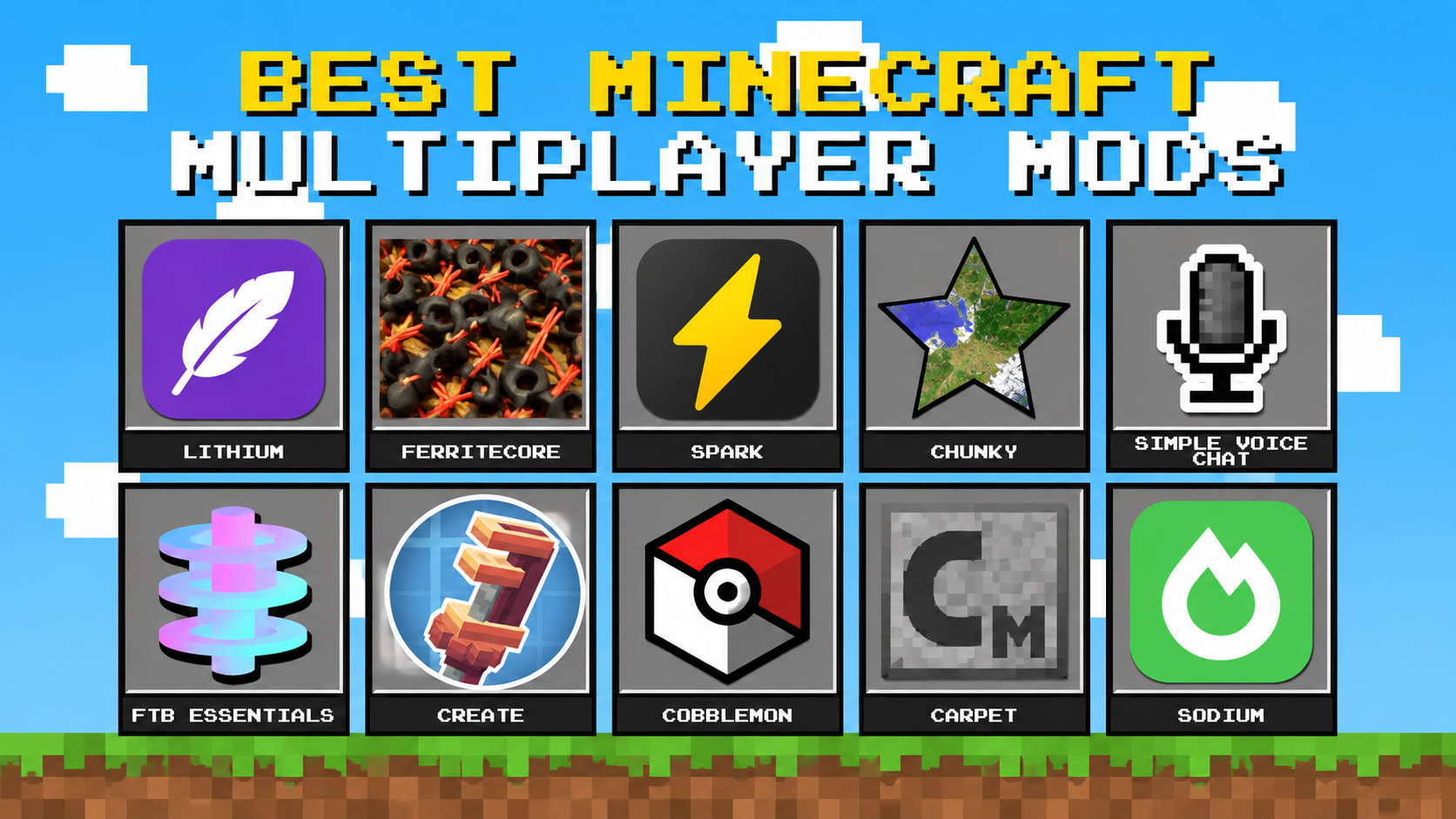

A good multiplayer mod list does two things. It keeps your server running smoothly, and it gives your friends or community more to do together. This guide covers the best Minecraft multiplayer mods in three groups: performance, social and gameplay. You’ll also find ready-made starter setups, a comparison table and answers to common questions.
Quick Picks: The Best Minecraft Multiplayer Mods
| Category | Best pick | Why it wins | Installed on |
|---|---|---|---|
| Server speed | Lithium | Smoother ticks with no gameplay changes | Server |
| Memory use | FerriteCore | Lower RAM use, fewer memory crashes | Server (and client) |
| Finding lag | Spark | Shows the real cause of lag | Server |
| Exploration lag | Chunky | Pre-generates the world | Server |
| Voice chat | Simple Voice Chat | Proximity voice inside the game | Both |
| Team projects | Create | Factories that need several players | Both |
| Themed servers | Cobblemon | Catching, trading and battling | Both |
| Technical control | Carpet | Fine control over world behavior | Server |
| Player FPS | Sodium | Much smoother frame rates | Client |
Before You Install Anything
Three checks will save you hours of trouble:
- Minecraft version: the server and every player must match. If you need to switch, see How do I change my Minecraft server version?
- Mod loader: Fabric, Forge and NeoForge mods do not mix. Choose one and stay with it.
- Where the mod goes: some mods belong on the server only, some on the client only, and some on both.
New to modding? Read Mods vs Plugins vs Datapacks, then follow How do I add mods to my Minecraft server?
Best Performance Mods:
Install these before adding gameplay mods. They don’t add new content, but they can improve server performance, reduce resource usage, and make larger worlds or modpacks easier to run.
Lithium: Best for Server Speed
Lithium optimizes many of Minecraft’s server-side systems, including mob behavior, block updates, and chunk processing. It helps the server spend less time handling routine game logic, which can improve TPS and reduce CPU usage.
FerriteCore: Best for Memory
FerriteCore reduces Minecraft’s memory usage by optimizing how data is stored in RAM. This can be especially useful for large modpacks, where memory usage can grow quickly and lead to out-of-memory crashes.
It supports Fabric, Forge, and NeoForge and is a good choice when your server is running close to its RAM limit.
Spark: Best for Finding Lag
Spark is a profiling tool rather than a performance mod. It helps you find out what is actually causing server lag instead of simply adding more RAM or CPU.
You can use it to identify problems such as overloaded entities, slow ticks, TPS & MSPT, or a specific mod causing performance issues. This makes it much easier to target the real problem.
For a step-by-step guide, see How to Create a Performance Profile for your Minecraft Server.
Chunky: Best for Smooth Exploration
Chunky pre-generates your Minecraft world before players start exploring it. Normally, exploring new areas forces the server to generate chunks in real time, which can cause CPU spikes, high tick times, and temporary lag.
Pre-generating the world moves that workload ahead of time, making exploration much smoother once players are online. It is especially useful for survival servers and large modpacks.
You generally only need to run the pre-generation process once for the areas you want players to explore.
Best Social Mods:
Simple Voice Chat: Best for Voice Chat
Simple Voice Chat adds proximity voice chat, allowing players to hear each other based on how close they are. It works especially well for roleplay, survival servers, and community events, making multiplayer feel more social and connected.
FTB Essentials: Best for Player Commands
FTB Essentials adds useful commands that are not available in vanilla Minecraft, such as homes, teleport requests, and warps. Server admins can also control which features players are allowed to use.
LuckPerms: Best for Ranks and Permissions
LuckPerms gives you detailed control over player permissions. You can create staff ranks, player groups, and decide exactly which commands each group can access.
Best Gameplay Mods:
Create: Best for Team Building
Create focuses on automation, machinery, and large-scale building projects. Players can work together on power systems, transportation, production lines, and complex machines, giving everyone a role in a shared project.
It is a great choice for groups that enjoy long-term collaborative builds and technical progression.
Cobblemon: Best for Themed Servers
Cobblemon adds a creature-catching and battling system inspired by classic monster-collecting games. Players can catch creatures, train them, battle other players, trade, and search for rare finds.
It works particularly well for servers built around a specific theme or community.
Carpet: Best for Technical Players
Carpet adds a collection of tools, commands, and configurable options that give admins and technical players more control over how the game works.
It is particularly useful for technical Minecraft communities, builders, and server admins who want more control over their worlds.
Best Client-Side Mod: Sodium
Sodium is a client-side performance mod designed to improve Minecraft’s rendering performance and increase FPS. It is installed on the player’s computer rather than the server.
Because it is client-side, players can use it to improve their own game performance without requiring the server to install it.
Three Starter Setups
- Friends SMP (small, relaxed): Lithium, FerriteCore, Chunky, Simple Voice Chat and a command mod. Easy to run, and fast. ~4–6 GB RAM.
- Tech and factory server: a Forge or NeoForge base with Create, FerriteCore, Spark and Chunky. ~8–12 GB RAM, and profile early.
- Themed community server: Cobblemon with a whitelist and Spark to watch performance. ~6–10 GB RAM.
Actual needs vary with player count and pack size — use How much RAM do I need for a Minecraft Server? to size it precisely.
Prefer a ready-made pack? Use How to manually install a Minecraft Modpack.
Fabric, Forge or NeoForge?
- Fabric: light, quick to update and full of performance mods. Best for speed-focused servers and small quality-of-life mods.
- Forge and NeoForge: the main home of large content mods and big modpacks. Newer versions have largely moved to NeoForge, while older ones stay on Forge.
Choose the loader that supports the mods you cannot live without.
How Much RAM Do You Need?
It depends on your loader, pack size and player count. Lighter Fabric servers need less than big modpacks. If you need more than the ranges above, see How do I allocate more RAM to Minecraft?. Remember that extra RAM will not fix lag caused by heavy ticking, so profile with Spark first.
Common Problems and Quick Fixes
- “Outdated client or server”: versions do not match. See How to Fix Version Mismatch.
- Memory crash: read Out of Memory Error Minecraft Java.
- Server will not start after adding mods: check What Version of Java do I need?
- Freezes or timeouts when joining: try Fix Keepalive Timeout When Joining Server.
- Lag in general: start with Common Causes of Minecraft Server Lag.
Tips for a Stable Modded Server
- Add mods in small batches and test after each one.
- Back up before every big change. Here is how to set up automated backups.
- Keep everyone on the same Minecraft version and loader.
- Put server mods on the server, and let each player install their own client-only mods.
- Profile with Spark when lag appears instead of guessing.
Frequently Asked Questions
What are the best Minecraft mods for multiplayer? For most servers: Lithium and FerriteCore for speed, Spark for finding lag, Chunky for pre-generating the world, and Simple Voice Chat for community. Add gameplay mods such as Create or Cobblemon after that.
Do all players need to install the mods? Not always. Server-only mods stay on the server, client-only mods are personal choices, and mods marked “both” must match on every computer.
Which is better for multiplayer, Fabric or Forge? Fabric suits performance-focused servers, while Forge and NeoForge suit big content modpacks. Pick the one your favorite mods support.
Can I use mods and plugins together? Usually not on the same server type, since they run on different software.
Why is my modded server lagging? Common causes are too many entities, a heavy mod or an unbuilt world, not just low RAM. Profile with Spark first.
Ready to Host Your Own?
Once your list is ready, you need a server that can carry it. Explore modded Minecraft server hosting for one-click modpack installs, or get started with Getting Started with Your Minecraft Server.