

How do I change my Minecraft server version?
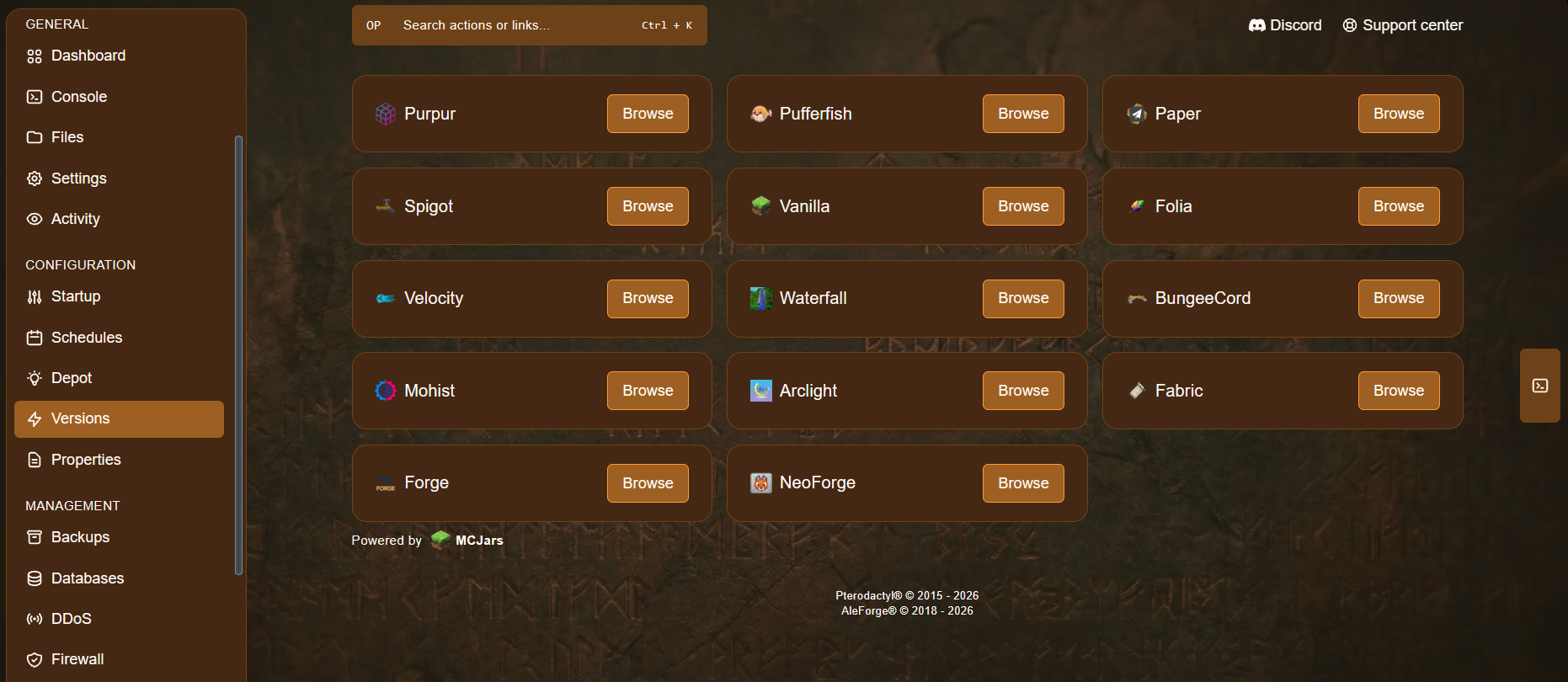
You can change your Minecraft server to an older version of the game, or even to a different type of server such as Fabric, Forge, Paper, Spigot, and many more. You can do it all from the Versions page of your server in the AleForge Panel. This guide shows you how.
Before You Begin
Section titled “Before You Begin”- Access to the AleForge Panel
- To know which version or server type you want to switch to
Important: Changing versions can affect your world, plugins, and mods. Always make a backup first, so you can go back if something goes wrong.
Step-by-Step Instructions
Section titled “Step-by-Step Instructions”-
Go to the AleForge Panel and select your Minecraft server.
-
Make a backup of your server from the Backups section of the panel.
-
Go to Versions and select your desired version of Minecraft.
-
Once you have found the version you want, click Install. Your server will begin installing it.
What to Check After Installing
Section titled “What to Check After Installing”- Start the server and watch the Console for errors.
- Check your plugins and mods. They must match the new version and server type. Plugins built for Paper or Spigot will not work on Fabric or Forge, and the other way around.
- Join the server and make sure your world loads correctly.
Server Types at a Glance
Section titled “Server Types at a Glance”| Server Type | Best for |
|---|---|
| Vanilla | The standard Minecraft experience, without plugins or mods |
| Paper / Spigot | Plugins, and better performance on larger servers |
| Fabric / Forge | Mods and modpacks |
Things to Keep in Mind
Section titled “Things to Keep in Mind”- Going to an older version: worlds saved in a newer version of Minecraft may not load properly on an older one. Restoring your backup is the safest way to go back.
- Switching server types: moving between plugin servers (Paper, Spigot) and mod servers (Fabric, Forge) means your old plugins or mods will need to be replaced with ones for the new type.
- Java version: older and newer Minecraft versions may need different Java versions. See our guide on which Java version your Minecraft server needs.
Troubleshooting
Section titled “Troubleshooting”| Problem | What to try |
|---|---|
| The server won’t start after the change | Check the Console for errors. Remove plugins or mods that don’t match the new version or server type. |
| The world won’t load or looks broken | Restore your backup and try again, or choose a version that matches the one your world was made in. |
| Plugins or mods aren’t working | Make sure they are built for your new Minecraft version and server type. |
| You can’t find the version you want | Use the search or filters on the Versions page. If it still isn’t listed, contact AleForge support. |