

Rust: Cambiar la semilla y el tamaño de mi mundo
Rust te permite personalizar la semilla para tu mundo y también el tamaño. Así es como puedes hacerlo.
Cuanto más grande sea tu mundo, más RAM utilizará tu servidor. Si cambia el tamaño de su mundo y su servidor comienza a fallar poco después de iniciarse, es posible que se esté quedando sin RAM.
Cambiando tu semilla mundial Rust y el tamaño del mundo
Sección titulada «Cambiando tu semilla mundial Rust y el tamaño del mundo»Usando el portal del herrero
Sección titulada «Usando el portal del herrero»Cambiando el tamaño del mundo
Sección titulada «Cambiando el tamaño del mundo»- Abra el Blacksmith’s Portal
- Ir a
Startup - Localizar
World Size - Cámbialo al tamaño que desees
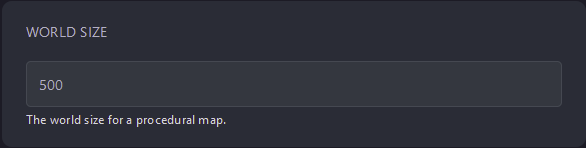
- Reinicia tu servidor
Cambiando la semilla del mundo
Sección titulada «Cambiando la semilla del mundo»- Abra el Blacksmith’s Portal
- Ir a
Startup - Localizar
World Seed - Cámbielo a la semilla mundial que desee
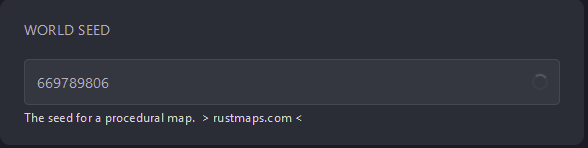
- Reinicia tu servidor
Autohospedaje/otros proveedores
Sección titulada «Autohospedaje/otros proveedores»Cambiando el tamaño del mundo
Sección titulada «Cambiando el tamaño del mundo»- Localice dónde está instalado su servidor
- Busque el script de inicio, ábralo y edítelo.
- Agregue
+server.worldsize <worldsize>al final del comando - guardar el archivo
- Reinicia tu servidor
Cambiando la semilla del mundo
Sección titulada «Cambiando la semilla del mundo»- Localice dónde está instalado su servidor
- Busque el script de inicio, ábralo y edítelo.
- Agregue
+server.seed <seed>al final del comando - guardar el archivo
- Reinicia tu servidor