

How to add Minecraft Plugins to your server
How to Install Plugins With the AleForge Panel
Section titled “How to Install Plugins With the AleForge Panel”We designed the AleForge Panel to be as easy as possible to use when configuring your servers. Our plugin installer lets you find and install plugins in just a few clicks, with no file uploads needed. This guide shows you how to use it.
Before You Begin
Section titled “Before You Begin”- Access to the AleForge Panel
- A Minecraft server that supports plugins, such as Paper, Spigot, or Bukkit
- The name of the plugin you want to install
Tip: Plugins only work on plugin-based servers. If you want to use mods instead, see our guide on the difference between mods, plugins, and datapacks.
Step-by-Step Instructions
Section titled “Step-by-Step Instructions”-
Go to the AleForge Panel and select your Minecraft server.
-
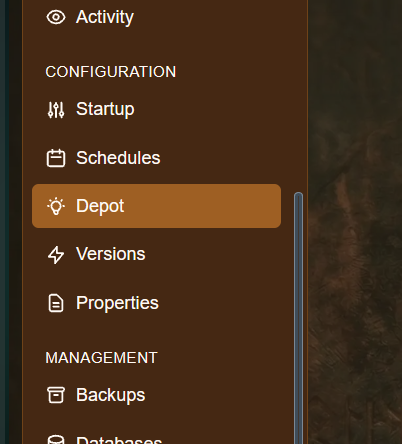
In the left-hand menu, under Configuration, click Depot. This is where you can browse and install plugins, mods, modpacks, and more.
-
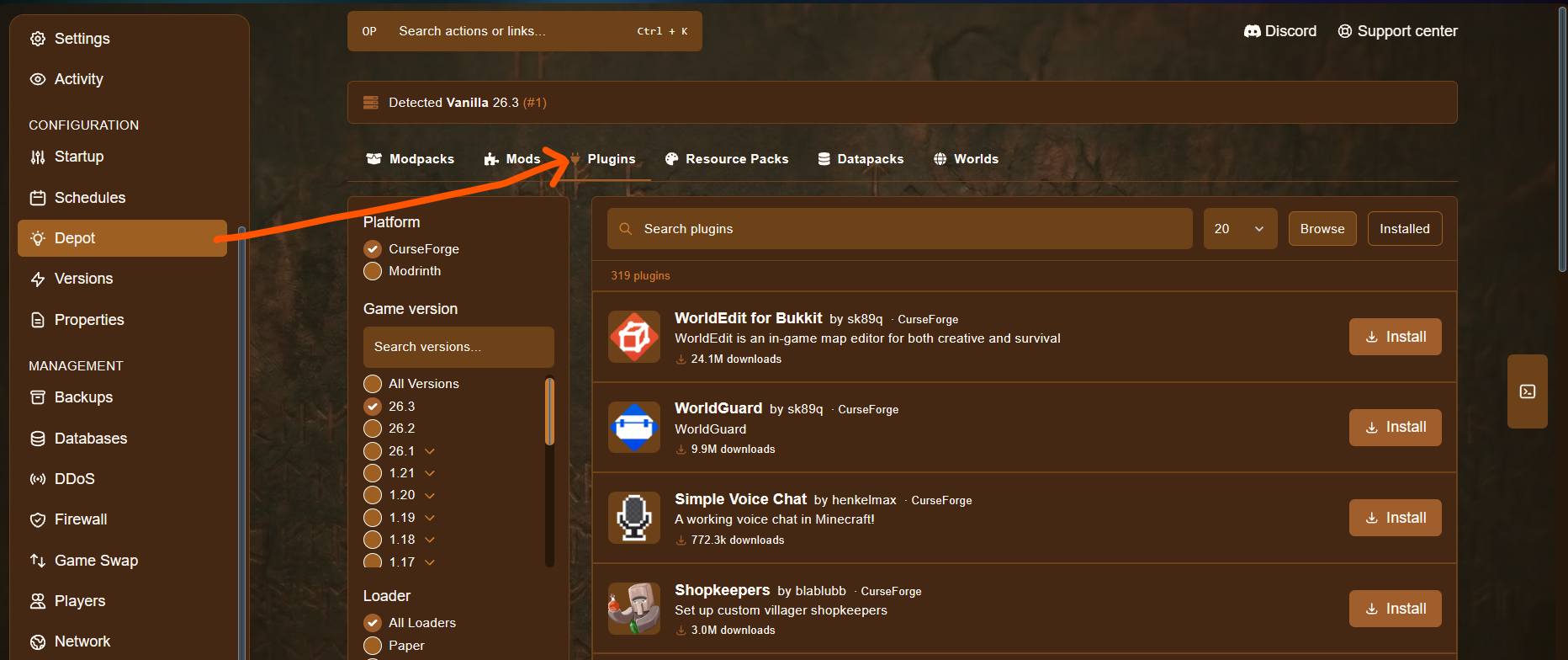
At the top of the page, make sure the Plugins tab is selected. Then use the filters on the left to choose the Minecraft version you want to install for. You can also choose where plugins come from, such as CurseForge or Modrinth.
-
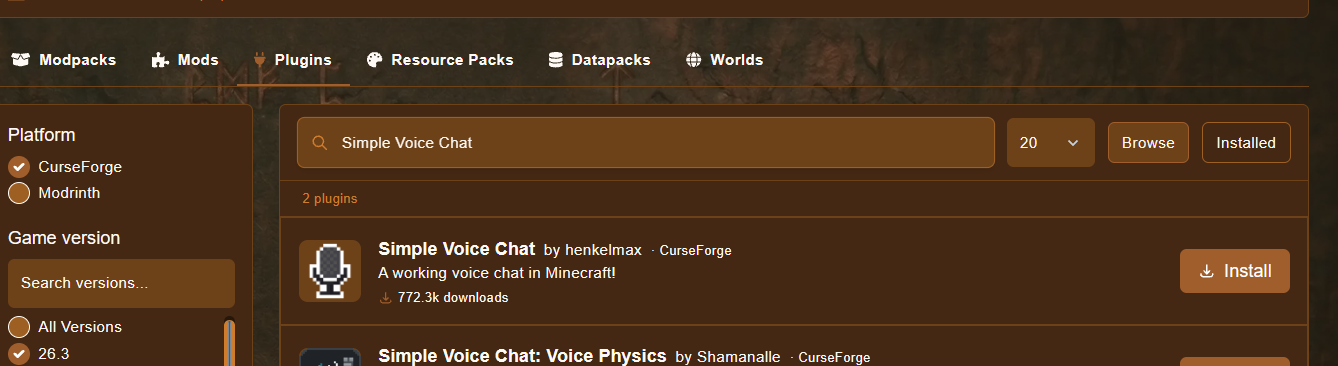
Search for the plugin you want by typing its name in the search bar. The results show the plugin name, its author, its source, and how many times it has been downloaded.
-
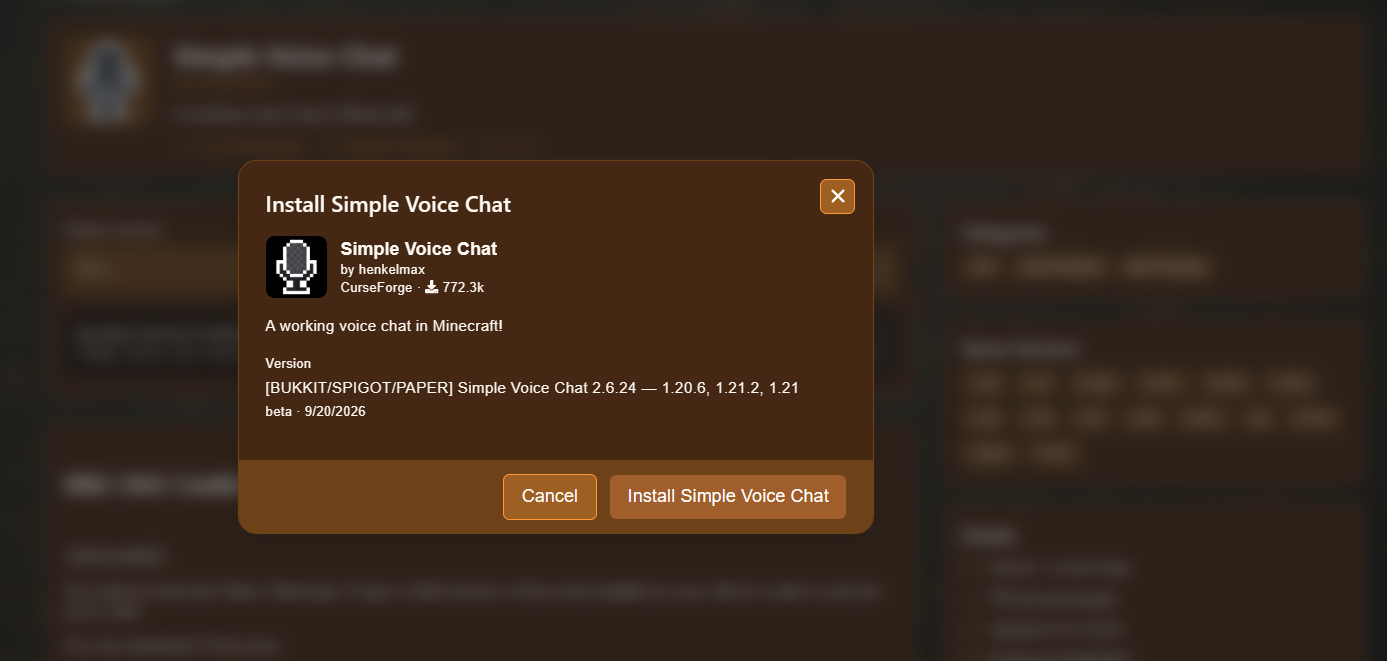
Click the Install button next to the plugin. A window opens showing the plugin and the version that will be installed. Check that the version supports your Minecraft version, then click Install again to confirm. The plugin is installed to your server automatically.
-
Restart your server so the plugin loads.
Understanding the Depot Page
Section titled “Understanding the Depot Page”| Part of the page | What it does |
|---|---|
| Tabs (Modpacks, Mods, Plugins, Resource Packs, Datapacks, Worlds) | Switch between the types of content you can install. Choose Plugins for this guide. |
| Search bar | Find a plugin by name. |
| Platform filter | Show plugins from CurseForge, Modrinth, or both. |
| Game version filter | Show only plugins that support the Minecraft version you pick. |
| Browse / Installed | Browse shows plugins you can install. Installed shows what is already on your server. |
| Install button | Installs the plugin to your server. |
Choosing the Right Plugin Version
Section titled “Choosing the Right Plugin Version”When you click Install, the confirmation window shows the version of the plugin that will be installed, along with the Minecraft versions it supports and its release type (for example, release, beta, or alpha). Check these before you confirm.
- Choose a plugin version that matches your Minecraft version.
- Make sure the plugin supports your server software, such as Bukkit, Spigot, or Paper.
- Beta and alpha versions may be less stable than full releases.
After Installing
Section titled “After Installing”- Restart your server so the plugin loads.
- Open the Console and check for errors while the server starts.
- Check that the plugin is working in-game.
- Many plugins create a configuration file in the
pluginsfolder after the first start. You can edit it in File Manager.
Troubleshooting
Section titled “Troubleshooting”| Problem | What to try |
|---|---|
| You can’t find the plugin | Check the spelling, try a shorter search, or switch the platform filter between CurseForge and Modrinth. |
| The plugin doesn’t show for your version | Change or remove the game version filter, then check the plugin’s page for supported versions. |
| The plugin doesn’t work after installing | Restart the server and check the Console for errors. Make sure the plugin supports your version and server software. |
| You want to see what is already installed | Click Installed next to the search bar. |
| The server won’t start after installing | Remove the newest plugin and try again. Check the Console for the cause. |