

How do I add myself as Admin on my Stationeers server?
Adding yourself as Admin in Stationeers allows you to use console commands on your server. These are useful for moderating your server, as well as allowing you to give items and control storms
Adding yourself as Admin in Stationeers
Section titled “Adding yourself as Admin in Stationeers”Using the Blacksmith’s Portal
Section titled “Using the Blacksmith’s Portal”- Go to the AleForge Panel
- Click on
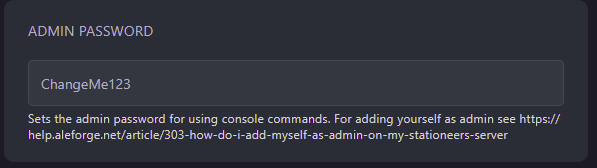
Startup - Set the
Admin Passwordvariable. Take note of this as you will need it later.
- Restart your server
- Go to the save directory on your computer for Stationeers. By default on Windows, this is located at
Documents/My Games/Stationeers - Right-click on
setting.xmland selectOpen With. Choose Notepad - Inside this file, look for
<ServerAuthSecret />. Replace it with<ServerAuthSecret>yourpasswordhere</ServerAuthSecret>
Self-Hosting/Other Providers
Section titled “Self-Hosting/Other Providers”- Locate where your servers files are installed
- You will need to edit the startup command with the following line
-settings AdminPassword <youradminpasswordhere> - Once that has been edited, restart your server.
- Go to the save directory on your computer for Stationeers. By default on Windows, this is located at
Documents/My Games/Stationeers - Right-click on
setting.xmland selectOpen With. Choose Notepad - Inside this file, look for
<ServerAuthSecret />. Replace it with<ServerAuthSecret>yourpasswordhere</ServerAuthSecret>