

How can I get an additional port for my server?
You may want an additional port assigned to your server to support a mod like Proximity Chat, or to add an integration for another piece of software, such as a Discord bot or RCON client.
An allocation is simply a combination of an IP address and a port that’s assigned to your server. Your server already comes with one by default, the one you normally connect with, and most plans let you create a few extra ones at no additional cost. Here’s how to create one.
Creating an Allocation
Section titled “Creating an Allocation”-
Open the AleForge Panel.
-
Open your server and go to Network in the sidebar.
-
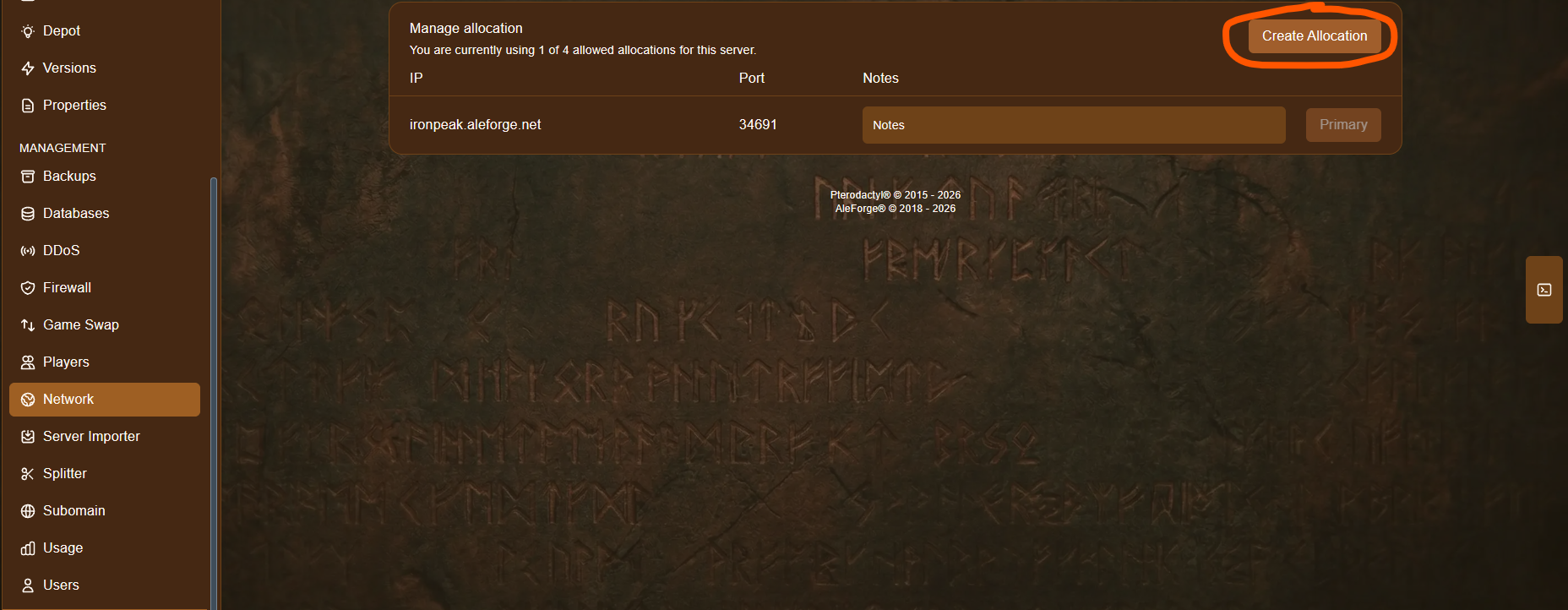
Click Create Allocation, in the top right of the Manage allocation panel. This panel also shows how many allocations you’re currently using out of your server’s total allowed, for example, 1 of 4.
-
A new row will appear in the table, showing the new IP and port allocated to your server, for example
ironpeak.aleforge.net:34691. Plug this address and port into your mod or integration’s configuration wherever it asks for one.
That’s it, your new allocation is ready to use right away, no restart required.
If you’d like more allocations than your server’s default allotment, contact support and we’ll help you out.
A Note on Shared IP Servers
Section titled “A Note on Shared IP Servers”If your server is on a shared IP (the default for most servers), new allocations are given the next available port in that shared address space rather than a specific port of your choosing. In practice, this just means updating the mod or integration’s configuration to use the port we assign, instead of its usual default.
If your mod or integration specifically requires its default port, you’ll need a dedicated IP address for your server, which gives you a full range of ports to choose from, instead of being limited to whatever’s next available on the shared IP. You can add this as an addon to your service, see our guide on connection types for more details, or contact support to get one set up.