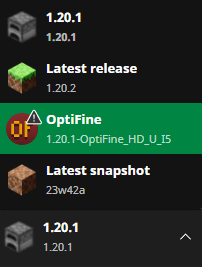
How to install Optifine in Minecraft Java
If you want to make your Minecraft look better and improve performance, installing Optifine is an excellent option to help with both the looks and keep your computer from smoking.
Installing Optifine
Section titled “Installing Optifine”- Open the Minecraft Launcher
- Select the Minecraft version you want to install Optifine for and launch Minecraft
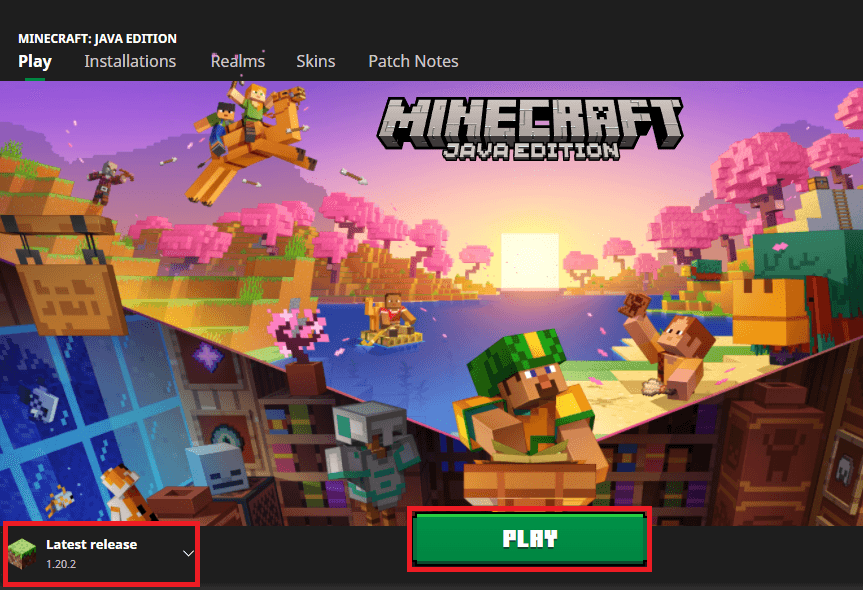
- Once the Main Menu is visible, Quit the game. Launching and closing Minecraft is required when installing Optifine
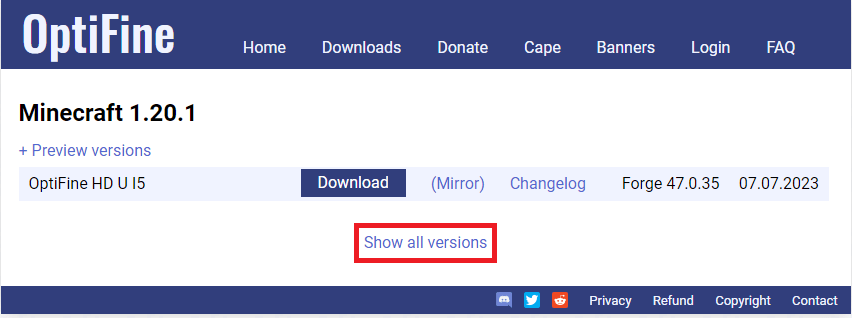
- Download Optifine for the version you selected in step 2. To find older versions, click
Show all versions
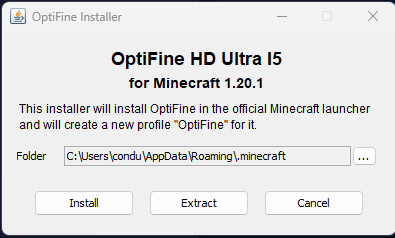
- Run the Optifine.jar you just downloaded. If it doesn’t run, right-click the file and select Open with
Java Platform SE binary - Click
Install
- Open the Minecraft Launcher and select the Optifine install