

How to Cancel Your Service
Cancel a service from the client area. Download anything you want to keep before you submit the request. A cancellation stops future invoices.
If something is broken, contact support before you cancel. Include the reason in the cancellation form so we know what went wrong.
Before you cancel
Section titled “Before you cancel”- Coming back later. Pause your server and pay for storage only. Most servers are $1.00 per month.
- Save your files. Download a copy from the panel before you submit. Download a folder or set up a backup first. Panel backups are deleted with the service.
- Want a refund. Choose Immediate cancellation, then follow How to Request a Refund. End of Billing Period keeps the service until the next due date and is not refunded. See the refund policy for what qualifies.
- Only needed one month. Order a monthly billing cycle, then choose End of Billing Period right away. See How Do I Only Order a Server For One Month?.
Immediate or end of billing period
Section titled “Immediate or end of billing period”| Choice | What happens |
|---|---|
| End of Billing Period | The service stays online until the next due date. You will not be invoiced again. The current period is not refunded. |
| Immediate | The service stops when the request is processed. Files for that service are deleted. Use this before a refund request. |
Cancel your service
Section titled “Cancel your service”- Log in to the client area.
- Open Services → My Services.
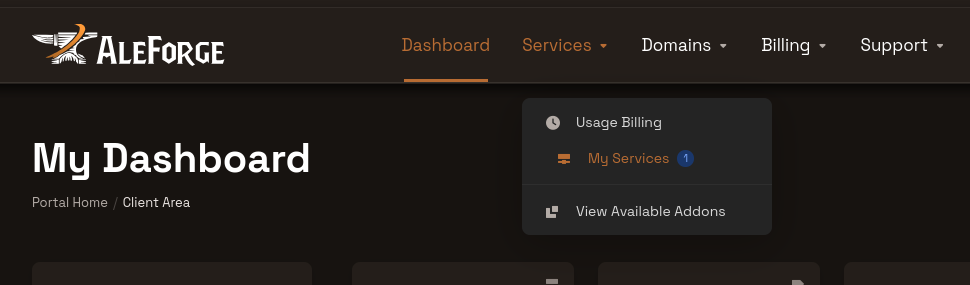
- Select the service you want to cancel. Each service is canceled on its own.
- Click Request Cancellation under the service name, or in the Actions menu.
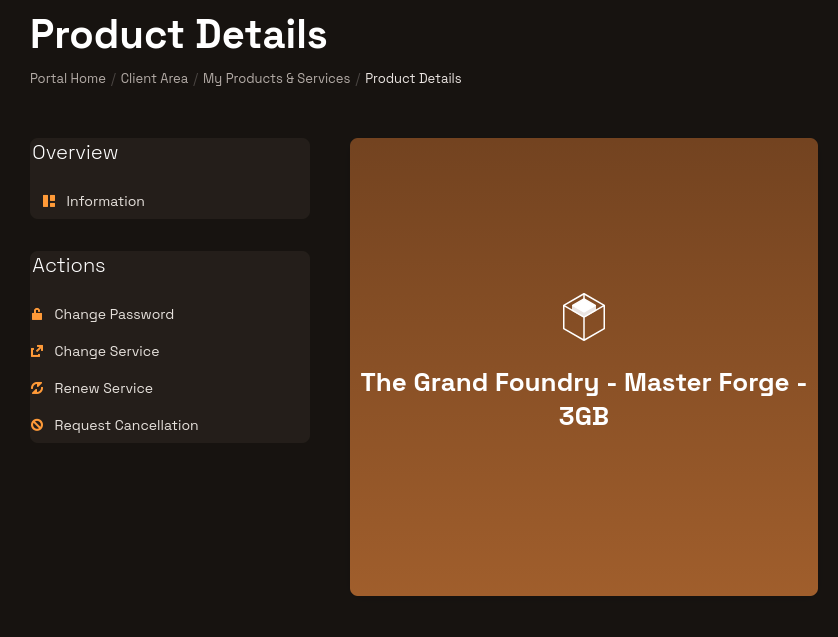
- Describe why you are canceling.
- Choose Immediate or End of Billing Period.
- Click Request Cancellation.
You will get an email titled Cancellation Request Confirmation. After that, no further invoices are sent for that service. Access continues until the date you chose. To withdraw a request that has not been processed yet, contact billing.
PayPal subscriptions
Section titled “PayPal subscriptions”Canceling in the client area does not always stop a PayPal subscription. Open PayPal, cancel every AleForge pre-approved payment you no longer want, and confirm only the subscriptions you still use are left. Follow PayPal Subscription Cancellation.
Payments that PayPal sends for a canceled service are added to your AleForge account as credit and are non-refundable.
Frequently asked questions
Section titled “Frequently asked questions”Will I be charged again?
Section titled “Will I be charged again?”No further invoices are sent after the confirmation email. A PayPal subscription can still bill you until you cancel it in PayPal.
Can I get a refund?
Section titled “Can I get a refund?”Only some products qualify, and renewals are excluded. Submit an Immediate cancellation first, then open a billing ticket. Details are in How to Request a Refund and the refund policy.
I do not see Request Cancellation
Section titled “I do not see Request Cancellation”The account owner can cancel. A contact needs the Place New Orders/Upgrades/Cancellations permission. Domain names use a different process: contact billing to cancel a domain. Domain registrations, transfers, and renewals are non-refundable.