

How to install plugins onto your Rust server
This guide requires that you have Oxide/uMod installed on your server, if you haven’t done that yet you can find instructions on how to do that here. Oxide/uMod are mod loaders that support uploading mods and plugins to your server. This guide will walk you through the steps required to install your desired modifications to your server.
Installing Plugins through the Blacksmith’s Portal
Section titled “Installing Plugins through the Blacksmith’s Portal”- Open the Blacksmith’s Portal and select your server
- Under
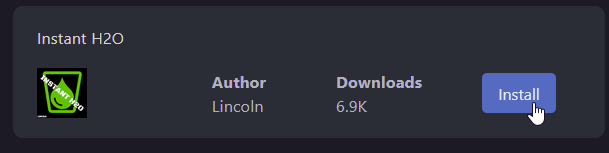
Rust Plugins, you can use our handy plugin installer to pick plugins to install on your server. Once you found a plugin you want, simply clickInstalland it will be installed to your server
- Restart the server
Once restarted, your Rust server will load with the plugins you installed
Installing plugins manually or on another host
Section titled “Installing plugins manually or on another host”- Download plugins for your server. We recommend using uMod’s website for this
- Go to the location of your servers files
- Upload your plugins to this directory
/oxide/plugins - If you are self-hosting a server, you’ll find a similar directory on your Rust server
- Restart the server
Once restarted, your Rust server will load with the plugins you installed