

How to Install a Data Pack for Minecraft: Java Edition
Installing the Data Pack
Section titled “Installing the Data Pack”To install a Data Pack on your server, you will need to generate a world and to download some Data Packs.
If you are installing a Data Pack that changes world generation, you should create a single-player world with that Data Pack and upload it to the server instead.
Uploading the Data Pack
Section titled “Uploading the Data Pack”- Go to the AleForge Panel
- Go to the
Consolepage and shut down your server - Now, download your Data Pack. It should be a
.zipfile - Go to the
File Managersection of the panel - Click on your world folder. By default, it is named
world - Click on
datapacksfolder. - If you do not see this folder, you can create one with the
Create Directorybutton - Upload your
.zipfile here
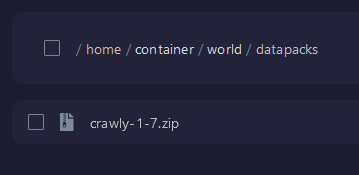
- Now you can restart your server.
- Once your server is started, you can use
/datapack listenabled to verify that the Data Pack is enabled.
