

How to install mods on your Mindustry Server
How to Upload Mods to Your Mindustry Server
Section titled “How to Upload Mods to Your Mindustry Server”Uploading mods to your Mindustry server is easy. It is very similar to uploading mods to a Minecraft server, except you don’t need the extra step of installing a modding API. This guide shows you where to find mods and how to add them to your server.
Before You Begin
Section titled “Before You Begin”- Access to the AleForge Panel
- The mod files you want to use, saved on your computer
Tip: Always stop your server before uploading files, so nothing is overwritten or corrupted while the server is running.
Downloading Mods
Section titled “Downloading Mods”Many Mindustry mods are available on each mod author’s GitHub page. These mods are stored as .jar files.
You can browse a list of all repositories tagged with mindustry-mod on GitHub:
https://github.com/topics/mindustry-mod
Before you download a mod:
- Download mods only from sources you trust, such as the author’s own GitHub page.
- Check the mod’s page for the version of Mindustry it supports, and make sure it matches your server.
- Save the
.jarfile somewhere easy to find on your computer.
Uploading Your Mods
Section titled “Uploading Your Mods”-
Go to the AleForge Panel and select your Mindustry server.
-
Stop your server.
-
Open File Manager.
-
Navigate to the
config/modsdirectory. -
Upload any
.jarfiles you have to this folder.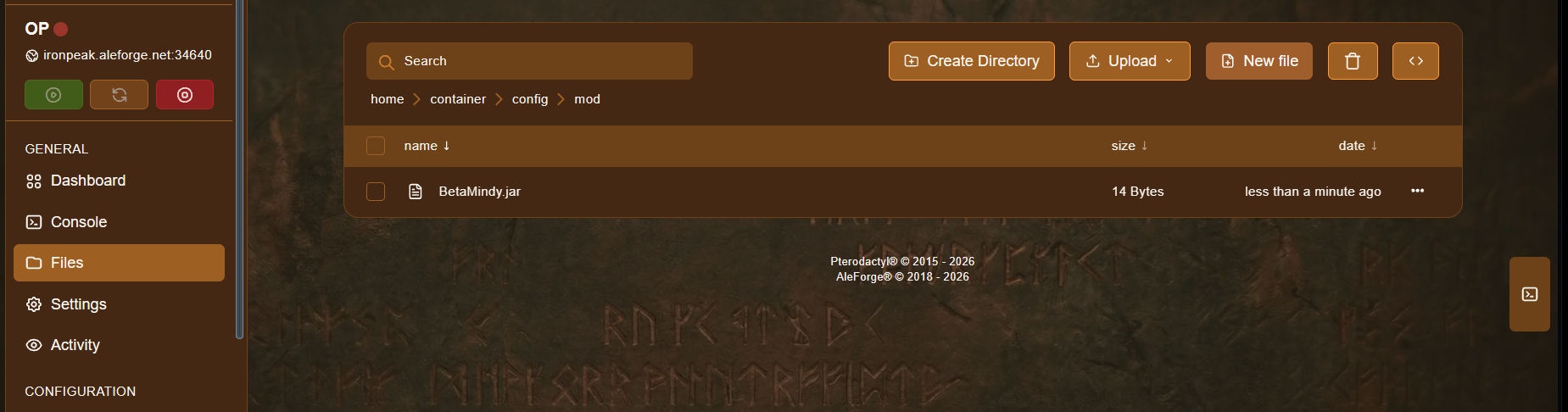
-
Start your server.
Check That Your Mods Loaded
Section titled “Check That Your Mods Loaded”After the server starts, open the Console and look through the startup messages for errors. You can also type this command into the console to see all loaded mods:
modsSee Mindustry Console Commands for the full command list.
Removing a Mod
Section titled “Removing a Mod”- Stop your server.
- Open File Manager and go to
config/mods. - Delete the mod’s
.jarfile. - Start your server.
Troubleshooting
Section titled “Troubleshooting”| Problem | What to try |
|---|---|
| The mod doesn’t show up | Make sure the file is in config/mods and ends in .jar, then restart the server. |
| The server won’t start after adding a mod | Remove the newest mod and start the server again. Check the Console for the error. |
| A mod doesn’t work as expected | Check that the mod supports your server’s version of Mindustry. |
| Players can’t join | Players may need the same mods installed on their game as the server. |