

How To Setup an Allowlist for your Server
i18n:translate:helpHow to Set Up an Allowlist on Your Minecraft Bedrock Server
Section titled “i18n:translate:helpHow to Set Up an Allowlist on Your Minecraft Bedrock Server”Sick of random people joining your Bedrock server? An allowlist limits who can join your game to only the players you specify. This guide shows you how to turn it on and how to add and remove players.
Before You Begin
Section titled “Before You Begin”- Your Bedrock server and access to its console
- The exact Minecraft username of every player you want to allow
Tip: Stop your server before changing settings, then start it again to apply them.
Setting Up an Allowlist
Section titled “Setting Up an Allowlist”Using the Blacksmith’s Portal
Section titled “Using the Blacksmith’s Portal”Use these steps if your server is hosted with AleForge.
-
Open the Blacksmith’s Portal and select your server.
-
Stop your server.
-
Go to Startup.
-
Set Enable Allowlist to
true.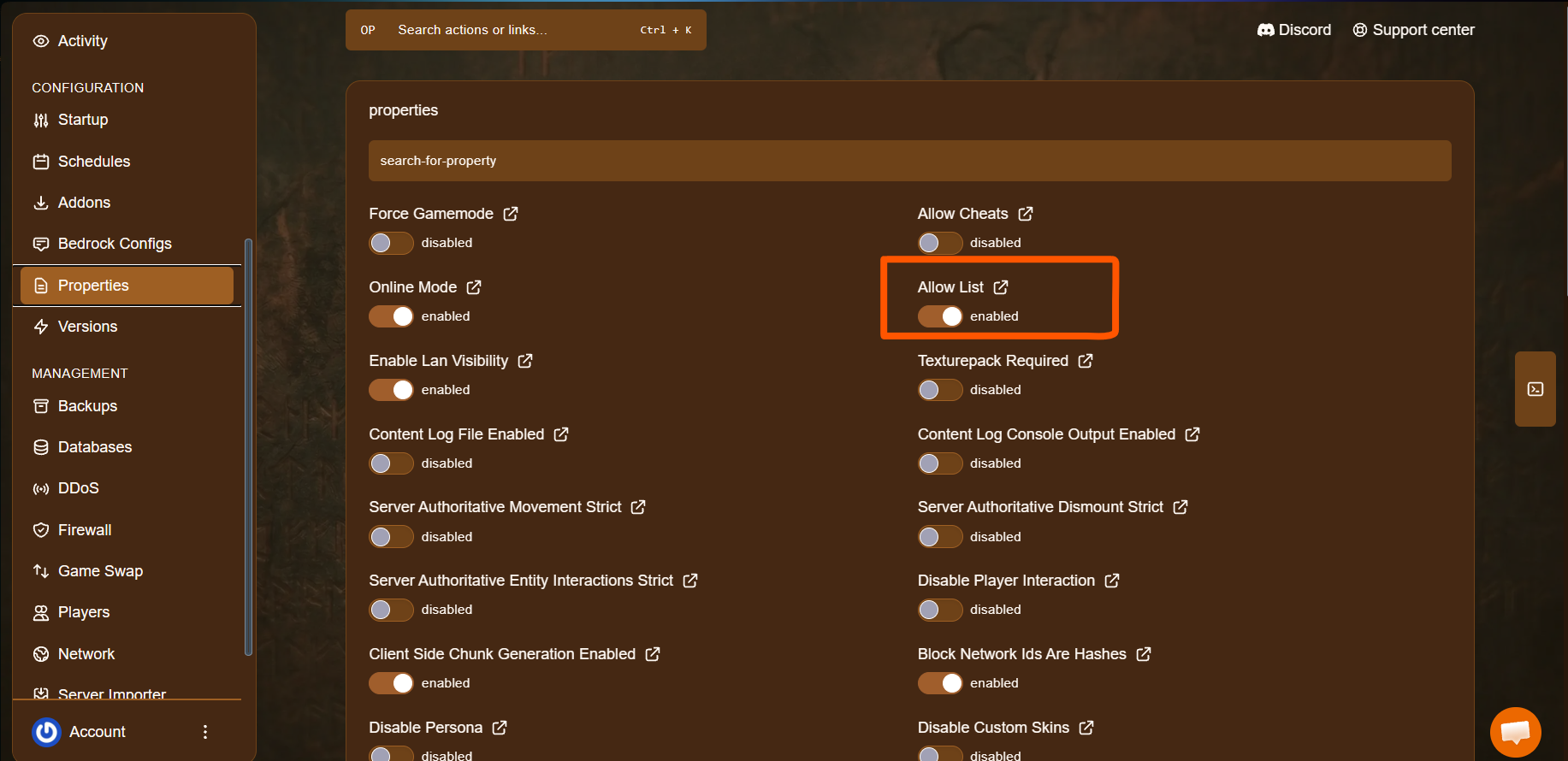
-
Start your server.
-
Go to Console.
-
Add a player to the allowlist by typing this command into the console:
allowlist add "playername"- Remove a player by typing:
allowlist remove "playername"Self-Hosting or Other Providers
Section titled “Self-Hosting or Other Providers”Use these steps if you host the server yourself or with another provider.
- Stop your server.
- Open your server’s files.
- Locate
server.propertiesand open it. - Look for
allow-listand set it totrue:
allow-list=true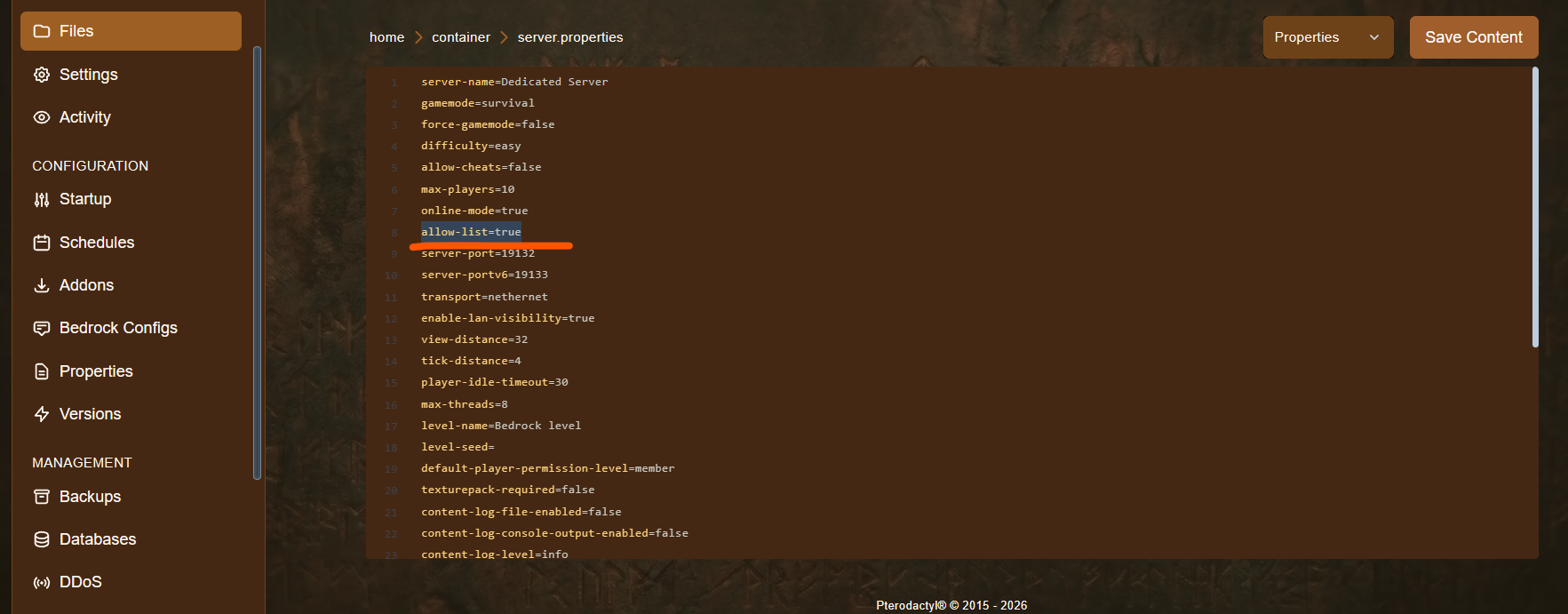
- Start your server.
- Add a player to the allowlist by typing this command into the console:
allowlist add "playername"- Remove a player by typing:
allowlist remove "playername"Using Commands In-Game
Section titled “Using Commands In-Game”As well as typing these commands into the console, you can run them in-game if you are set as an operator. In the in-game chat, start the command with a /:
/allowlist add "playername"Enter Usernames Exactly
Section titled “Enter Usernames Exactly”Enter the player’s username exactly as it appears in Minecraft, including capital letters and any spaces. Otherwise the command will not add the correct player.
Quick Reference
Section titled “Quick Reference”| Action | Command |
|---|---|
| Add a player | allowlist add "playername" |
| Remove a player | allowlist remove "playername" |
Troubleshooting
Section titled “Troubleshooting”| Problem | What to try |
|---|---|
| Players can still join without being on the list | Make sure the allowlist is turned on (Enable Allowlist or allow-list), then restart the server. |
| A player on the list can’t join | Check that their username was entered exactly as it appears in Minecraft. Remove the entry and add it again. |
| Command doesn’t work in-game | Make sure you are an operator and that the command starts with /. |
| Settings didn’t apply | Stop the server before changing settings, then start it again. |