

How do I Join a Project Zomboid Server?
Directly connecting to your AleForge Project Zomboid server is super easy. Just follow the steps below.
- Launch Project Zomboid
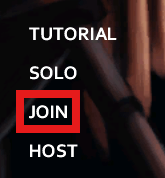
- In the main menu click
Join
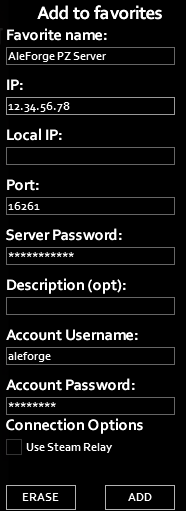
- Enter your information from the
Server Dashboardto theAdd to favorites
Favorite namecan be whatever you wantLocal IPneeds to be left blank- The
Descriptionis optional and not required - Your
Account UsernameandAccount Passwordwill be whatever you set here the first time and will be used for all future connections to the server - Fill out the
IPwith either theHostnameorIPaddress from the Dashboard - Add the
Portthat is after the:for theHostnameon the Dashboard Server Passwordwill be the password you set on the Startup page in the panel
- Click
Add - Next, click
Join Server