

How do I wipe my server and start from scratch?
If you want to start fresh, you can wipe your server of all configurations and world files right from the AleForge Panel. This is useful if you want to switch to a different modpack, fix a corrupted world, or simply start over.
This deletes everything on your server: your world, configs, plugins, and any other files. Make sure you have a backup of anything you want to keep before you begin.
Recycle bin: When deleting files, you can choose Move to trash to keep them in the recycle bin for 24 hours before they are destroyed forever, giving you a short window to recover them if you change your mind. If you choose Permanently delete instead, the files are removed immediately and cannot be recovered at all.
-
Go to the AleForge Panel.
-
Open your server and stop it from the Console page.
-
Go to File Manager.
-
Check the box at the top of the file list to select all of your files.
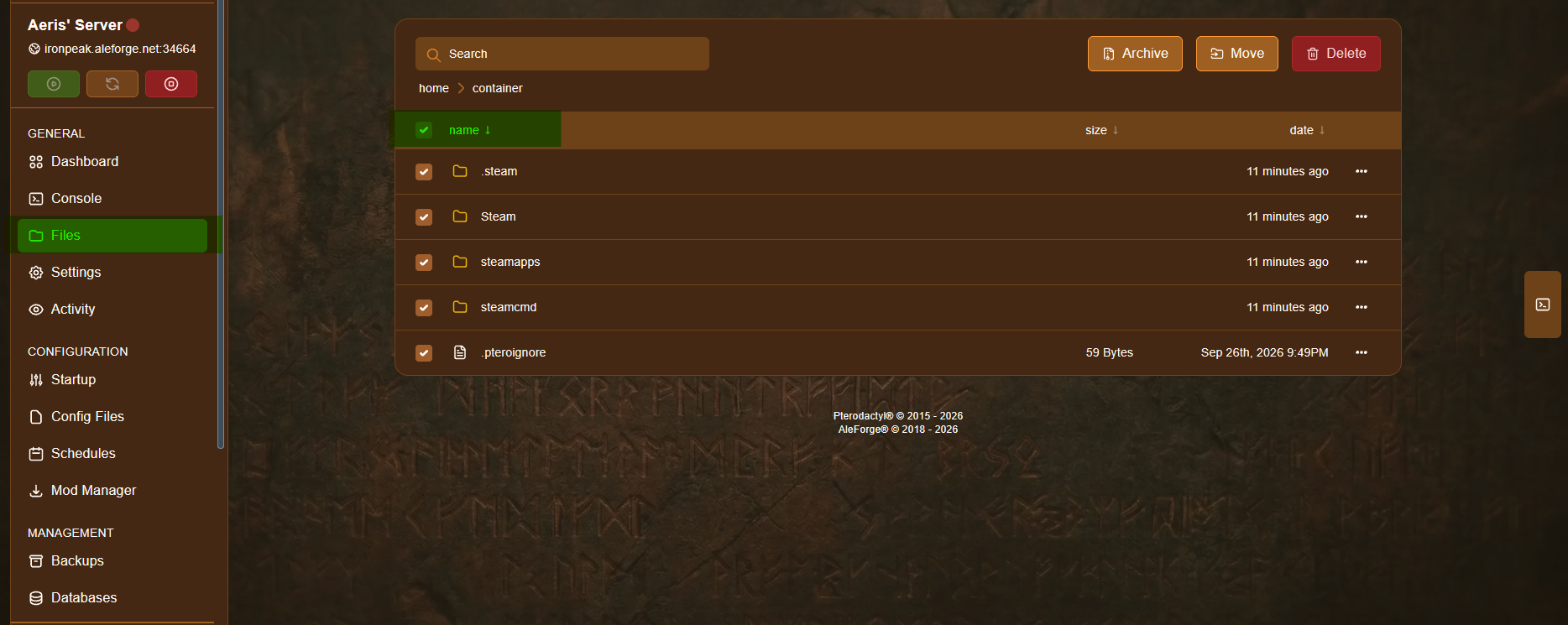
-
Click Delete. A confirmation window opens, listing every file that will be deleted.
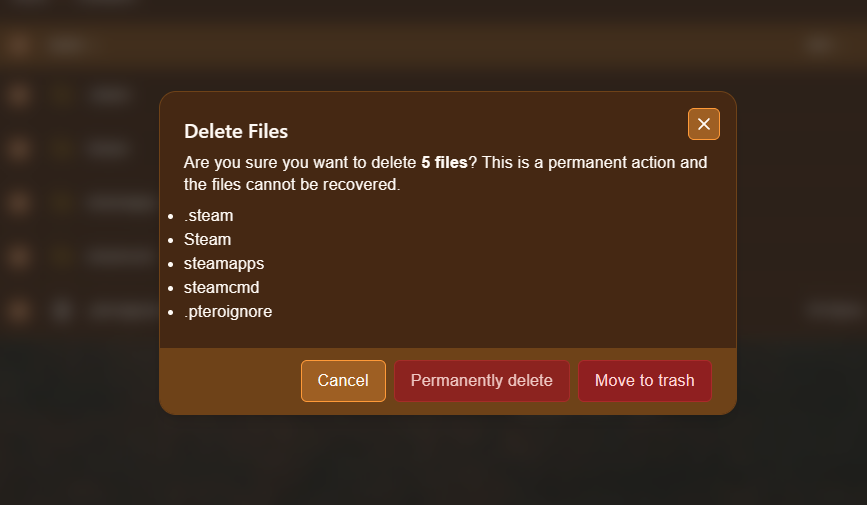
You now have two options:
- Move to trash — sends the files to the recycle bin, where they stay for 24 hours before being destroyed. Choose this option if you want the 24-hour recovery window.
- Permanently delete — deletes the files immediately, skipping the recycle bin entirely. There is no way to recover them with this option.
-
Go to Settings.
-
Click Reinstall Server.
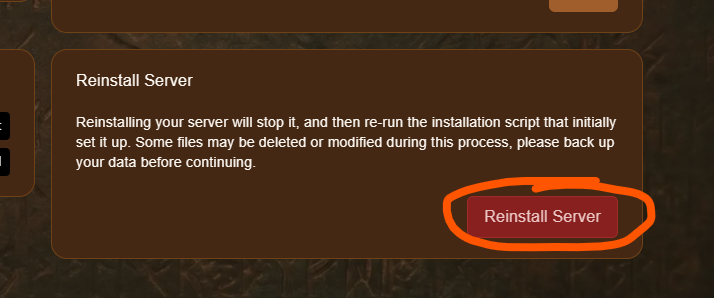
Reinstalling your server reinstalls the server software (such as Paper, Forge, or Vanilla) on the now-empty server, giving you a clean slate to start building on again.
Recovering Deleted Files
Section titled “Recovering Deleted Files”If you deleted your files by mistake, you have 24 hours to recover them before they are permanently removed. Contact support as soon as possible if you need help restoring files from the recycle bin.