

How to install mods on a BepinEX V Rising server
Downloading And Preparing Your Mods
Section titled “Downloading And Preparing Your Mods”- Download the mods you want for your server
- Create a folder on your computer called
mods - Open each
.zipfile you downloaded and copy the file ending in.dllto your createdmodsfolder
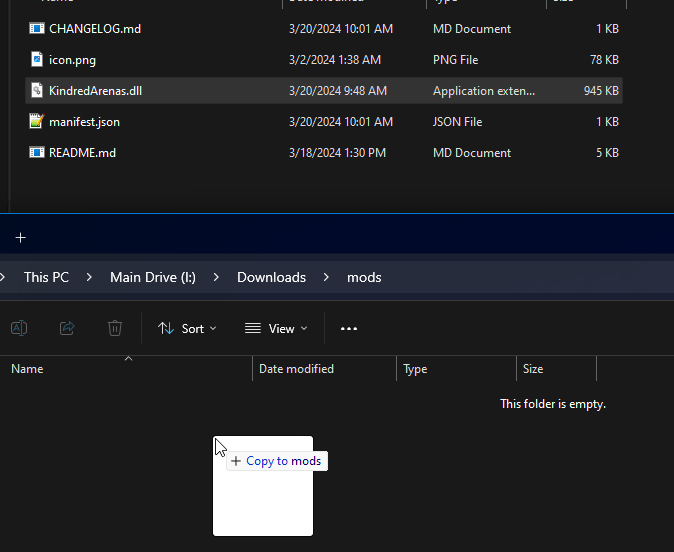
- Once all of your mods are copied over to this new folder, select all of them and compress them to a
.zipfile calledservermods
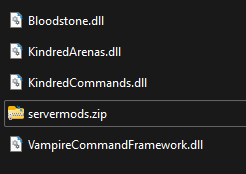
Uploading Your Mods to the Server
Section titled “Uploading Your Mods to the Server”- Go to the AleForge Panel
- Make sure BepinEX is installed
- Go to
File Manager - Upload
servermods.ziptoBepinEX/pluginsIf you do not see this folder, start your server once. - Right click on
servermods.zipand selectUnarchive
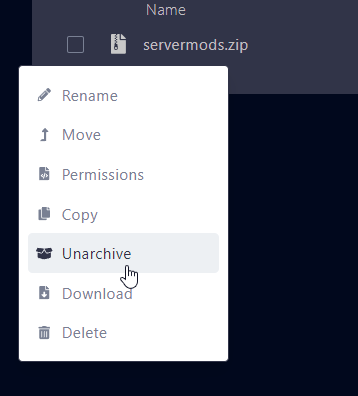
- Restart your server
Your mods will now load into V Rising