

How do I connect to my 7 Days to Die server?
Joining a dedicated server is done through Connect To IP in the main menu. You need the server IP and port from your AleForge panel — the game browser is optional.
Connecting to your server
Section titled “Connecting to your server”Using Blacksmith’s Portal
Section titled “Using Blacksmith’s Portal”- Open the AleForge Panel
- Copy the IP/hostname and port from your
Dashboard
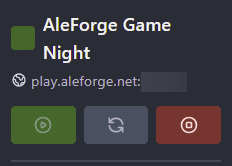
- Launch 7 Days to Die
- Click
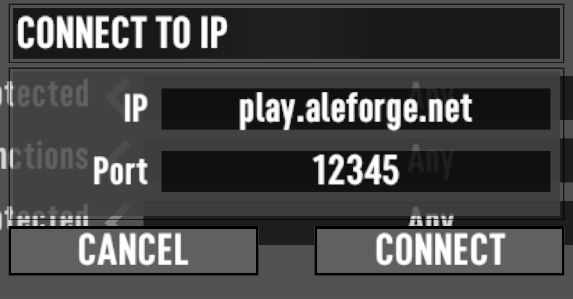
Join Game→Connect To IP - Enter the IP and port (example format:
192.0.2.10:26900) - If the server has a password, enter it when prompted
Finding the server in the list
Section titled “Finding the server in the list”If crossplay is off and the server is public, you can search the community list for your server name. Direct IP is still the most reliable method.
Self-hosting / other providers
Section titled “Self-hosting / other providers”- Use your public IP (tools like whatismyip.com work from the host machine)
- Use the port configured in
serverconfig.xmlor your panel Join Game→Connect To IP→ enter both
Before you connect
Section titled “Before you connect”- Server must show running on panel
Console - Game version should match the server — update guide
- Same mods on client and server if modded
Connection problems?
Section titled “Connection problems?”See 7 Days to Die troubleshooting for disconnects, ZLIB errors, and mod mismatches.