

How do I upload a world to my Necesse Server?
To upload a world to your Necesse server, you will have to locate your world file. On Windows it is located by default at %APPDATA%\Necesse\saves
- Find the zip file of your world.
- Go to the AleForge Panel
- Open the
Filestab - Upload the
.zipfile from your computer to thesavesfolder on your server.
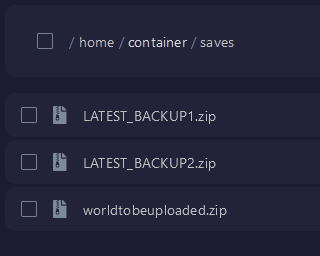
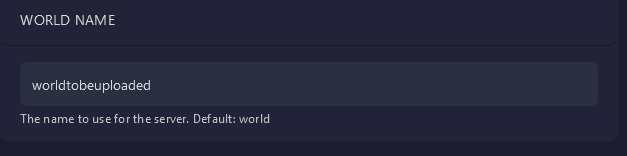
- Now go to
Startupand set the world name variable to the same name as the world file you uploaded.
- Restart your server and your server will load your world.