

How do I change how often my Rust server saves?
Rust has building decay mechanics, which allow buildings to decay slowly over time meaning that a player may have to repair buildings in their bases. Server owners can change the rate at which decay happens and can even disable it entirely.
Changing when your Rust server resets
Section titled “Changing when your Rust server resets”Using Blacksmith’s Portal
Section titled “Using Blacksmith’s Portal”- Open the Blacksmith’s Portal
- Go to
Startup - Locate
Save Interval - Change it to your desired interval in seconds
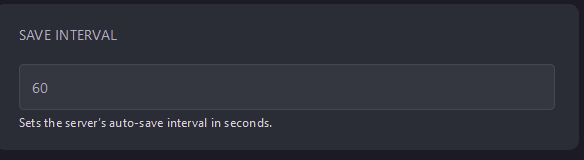
- Restart your server
If you’d like to make backups of your server as well, see our guide for making automatic backups with the Blacksmith’s Portal
Self-Hosting/Other Providers
Section titled “Self-Hosting/Other Providers”- Locate where your server is installed
- Find the startup script and open it and edit it
- Add
+server.saveinterval <seconds>to the end of the command - Save the file
- Restart your server