

How to Connect to Your Windrose Server
Players join a Windrose dedicated server with an invite code, not a public server list. Direct IP is optional. This guide covers both on AleForge Windrose hosting.
Find Your Invite Code
Section titled “Find Your Invite Code”- Open the AleForge Panel
- Select your Windrose server
- Open
Startupand copy Invite Code
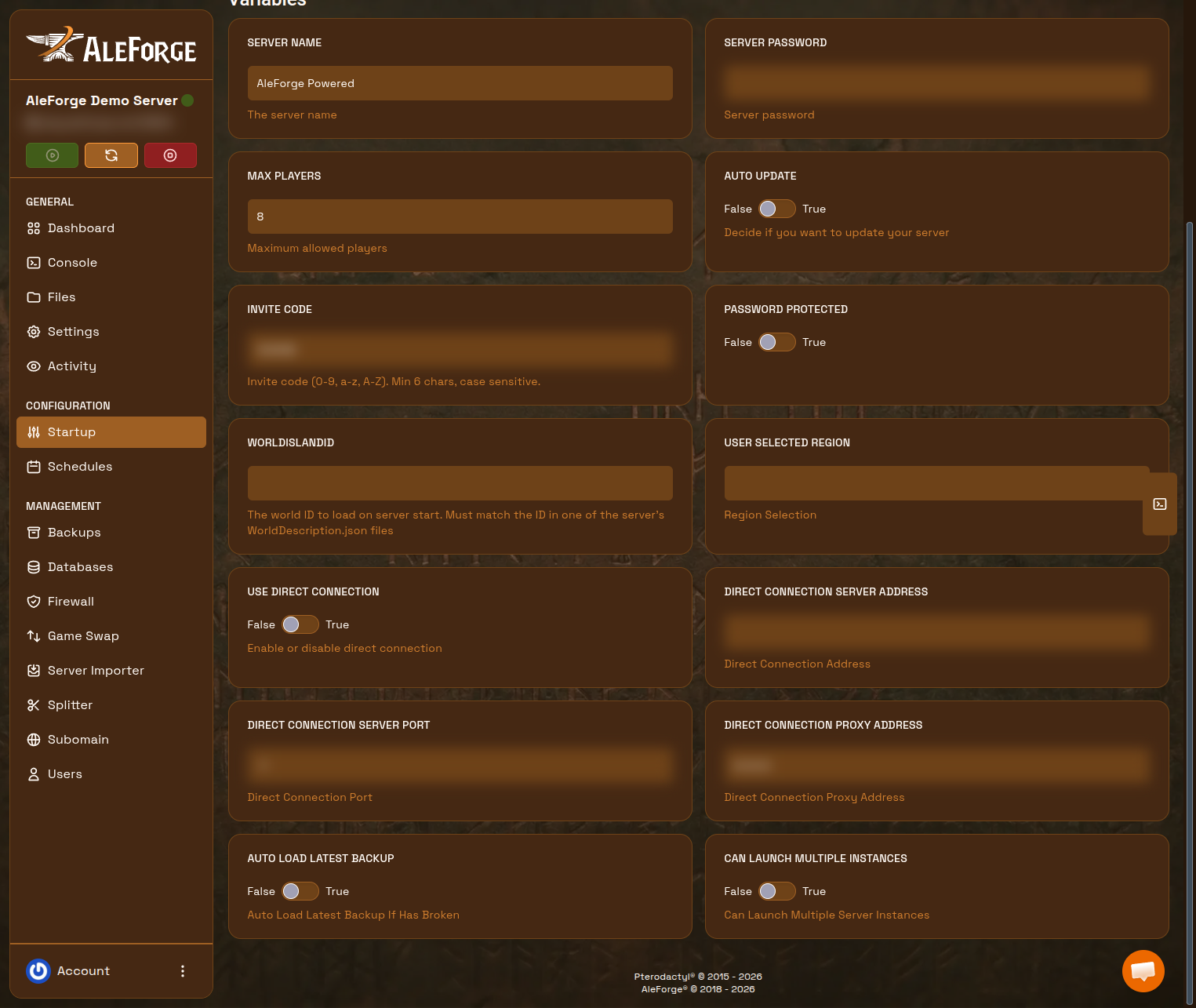
The console also prints the code after a successful boot. Codes are case-sensitive, at least six characters, and may use 0-9, a-z, and A-Z.
If Password Protected is True on Startup, also share Server Password with your crew.
Join in the Windrose Client
Section titled “Join in the Windrose Client”- Launch Windrose
- Choose Play → Connect to Server
- Join by invite code and paste the code
- Enter the password if prompted
- Click Join
Everyone uses the same code. It stays stable across restarts unless you change it.
Change the Invite Code
Section titled “Change the Invite Code”- Stop the server
- Edit Invite Code on
Startup - Start the server
Anyone still using the old code will fail to connect.
Direct IP Connection (Advanced)
Section titled “Direct IP Connection (Advanced)”Leave invite codes on unless you have a reason to skip the connection service.
- Stop the server
- On
Startup, set Use Direct Connection to True - Note Direct Connection Server Port (default
7777). Both TCP and UDP must be open - Start the server
- Players connect with play.aleforge.net and that port (e.g. play.aleforge.net:7777)
On AleForge you do not port-forward. Self-hosters must forward TCP and UDP to the machine running the server.
To return to invite codes, set Use Direct Connection to False, keep a valid Invite Code on Startup, and restart.
Troubleshooting
Section titled “Troubleshooting”- Cannot join: Remove any spaces from the code, confirm the server is running, and match the client patch to the dedicated server. See setup.
- Empty world: The server may be pointed at the wrong
WorldIslandId. See upload a world. - Direct IP fails: Confirm TCP and UDP on the game port, and that
UseDirectConnectionis actuallytrueafter restart.
Frequently Asked Questions
Section titled “Frequently Asked Questions”Where do I find my Windrose invite code?
Section titled “Where do I find my Windrose invite code?”On Startup, in the Invite Code field.
Can I change my Windrose invite code?
Section titled “Can I change my Windrose invite code?”Yes. Stop the server, edit Invite Code on Startup, then start again.
Do players connect with an IP address?
Section titled “Do players connect with an IP address?”Not by default. Share the invite code. Direct IP is an advanced option: set Use Direct Connection to True on Startup.