

How do I install mods onto my Vintage Story server?
Vintage Story allows you to install mods on your server, allowing you to experience the game differently.
Title of the section we are completing
Section titled “Title of the section we are completing”Using Blacksmith’s Portal
Section titled “Using Blacksmith’s Portal”- Download the mods you’d like to use from the official Vintage Story modding website
- Open Blacksmith’s Portal
- Go to
Files - Open the
Modsfolder and upload your downloaded.ziphere
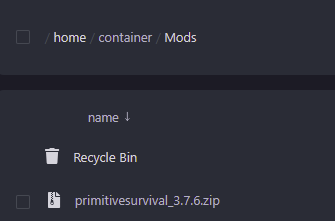
- Restart your server
Self-Hosting/Other Providers
Section titled “Self-Hosting/Other Providers”- Download the mods you’d like to use from the official Vintage Story modding website
- Find where your Vintage Story server is installed
- Open the
Modsfolder, if it is not already there you can create this folder - Place your downloaded
.zipfile here - Restart your server