

How do I change the Tick Rate in Mordhau?
If you increase the server tick rate, it will improve the flow of fights, which has a direct impact on the gameplay experience. For more information on Tick Rates, you can check out this article.
Changing the Tick Rate
Section titled “Changing the Tick Rate”- Go to the AleForge Panel
- Open
File Manager - Navigate to and open
Mordhau/Saved/Config/LinuxServer/Engine.ini
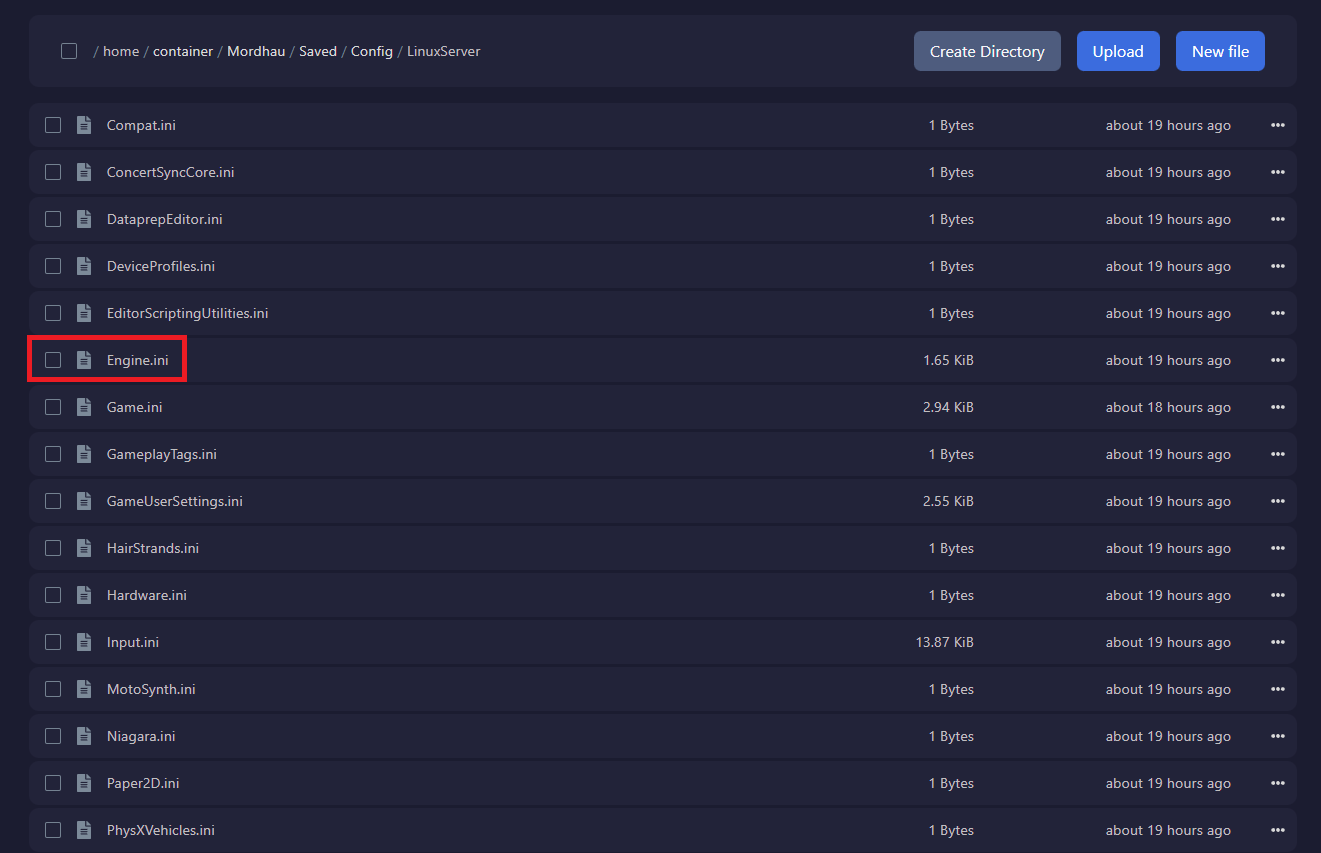
- Add the following to the bottom of the file replacing 120 with your desired tick rate. Usually, Values are 30, 60, or 120.
[/Script/OnlineSubsystemUtils.IpNetDriver]
NetServerMaxTickRate=120
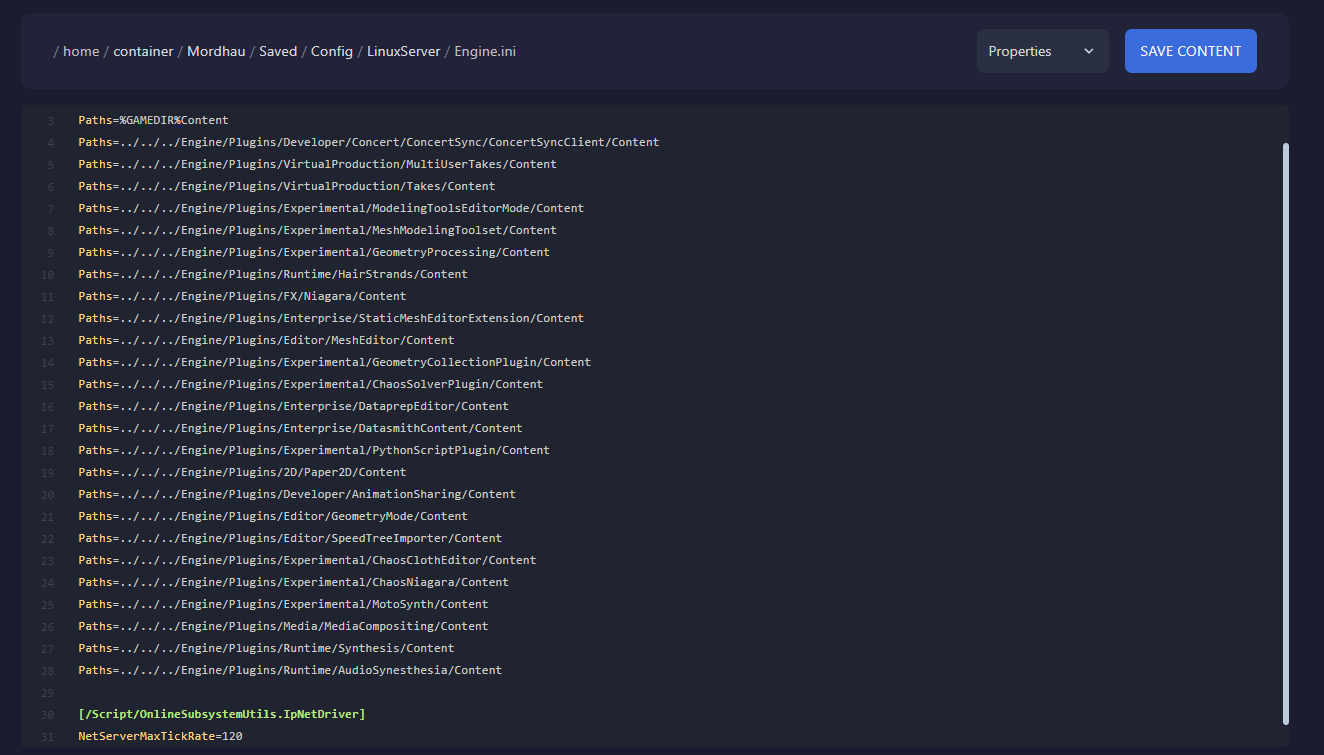
- Click
Save Content - Open the
Consoleand restart the server for the new tick rate to take effect.