

Fix Server Lag with View & Simulation Distance
View Distance and Simulation Distance are configuration options for Minecraft servers, located on the Properties page of the panel. Both control how much of the world around each player is kept active, but they affect different things.
- View Distance: Controls how many chunks are visible to players in every direction around them. This is purely about what players can see, terrain, builds, and other visual details rendered at a distance.
- Simulation Distance: Controls how many chunks are actively processed around a player. This includes things players can’t necessarily see, like mob AI, redstone and automation running, crop growth, and other entity behavior. Simulation Distance is always equal to or smaller than View Distance, since there’s no reason to simulate a chunk further away than a player can even see.
Both settings have a direct impact on your server’s performance: the higher either value is, the more work your server has to do for every player online, since it’s rendering or simulating a larger area around each of them at once.
Adjusting These Values
Section titled “Adjusting These Values”You can adjust both values from the Properties page of the panel.
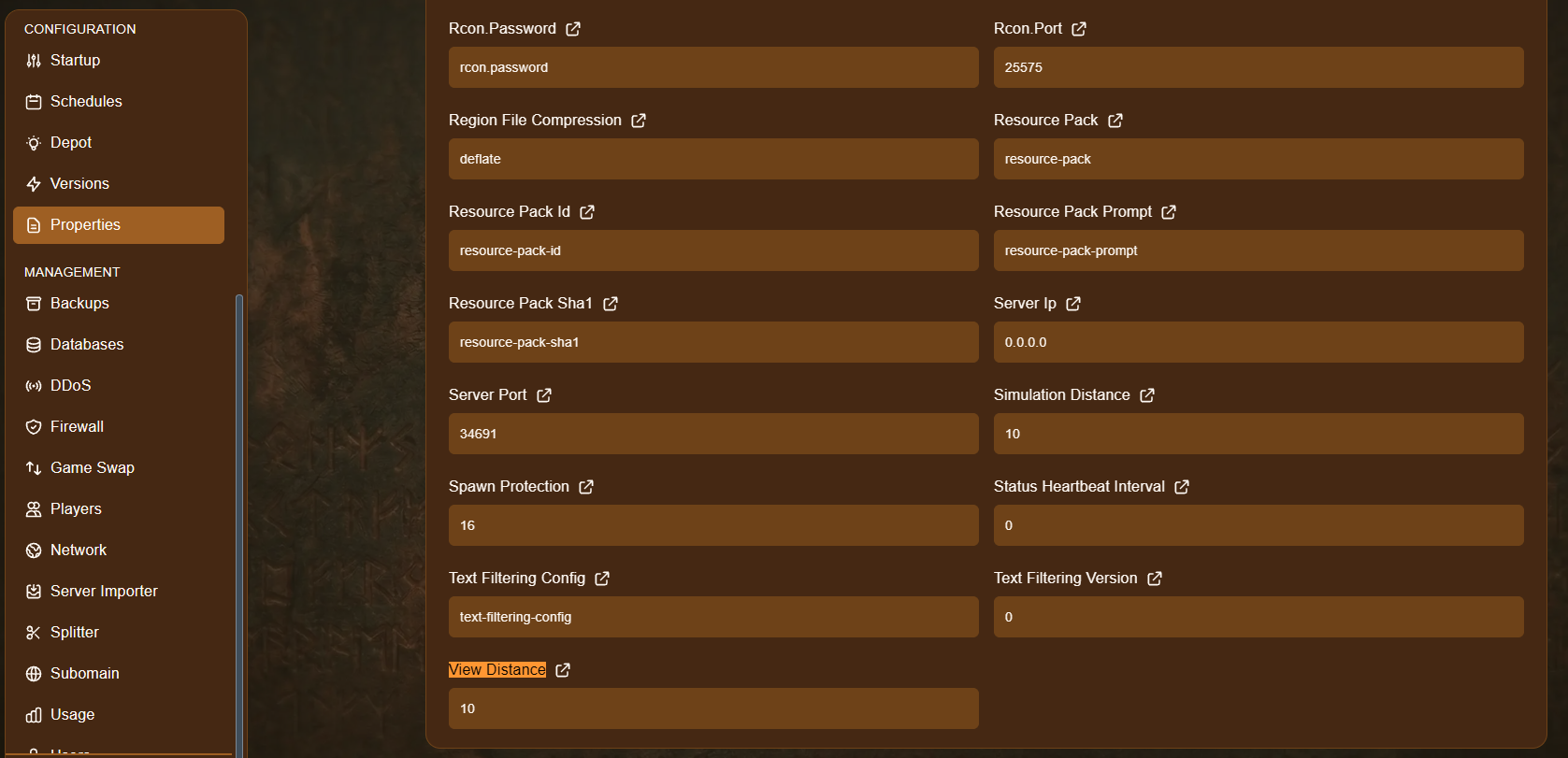
- Open your server and go to Properties.
- Locate View Distance or Simulation Distance.
- Change the number to a value between 3 and 32. By default, both are set to 10.
- Save your changes, and restart the server for them to take effect, they won’t apply while the server is still running.
Choosing the Right Value
Section titled “Choosing the Right Value”If you’re experiencing lag, AleForge recommends lowering these values from their current setting rather than raising them, since a smaller distance means less work for your server per player.
- A lower value reduces lag and server resource usage, at the cost of players being able to see and interact with a smaller area around themselves.
- A higher value lets players see and do more at once, but demands significantly more from your server, especially as more players join, since the cost scales with each player individually.
There’s no single “correct” setting, it depends on your server’s resources and how many players are typically online. If you’re unsure where to start, try lowering Simulation Distance first, since it has the biggest impact on performance, while leaving View Distance a bit higher so the world still looks and feels normal to explore.