

How do I connect to my Bedrock server?
How to Connect to Your Minecraft Bedrock Server
Section titled “How to Connect to Your Minecraft Bedrock Server”Once you’ve bought a Bedrock server, it’s time for you and your friends to connect. This guide shows you how to find your server’s address and add it in Minecraft Bedrock Edition. It covers both servers hosted with AleForge and servers hosted somewhere else or by yourself.
Before You Begin
Section titled “Before You Begin”- Your Bedrock server must be started and finished loading.
- You need Minecraft Bedrock Edition on your device.
- You need your server’s address (IP or hostname) and port.
Connecting to Your Server
Section titled “Connecting to Your Server”Using Blacksmith’s Portal
Section titled “Using Blacksmith’s Portal”Use these steps if your server is hosted with AleForge.
-
Open the Blacksmith’s Portal and select your server.
-
Take note of the hostname and port of your server. It will look something like this:
play.aleforge.net:12345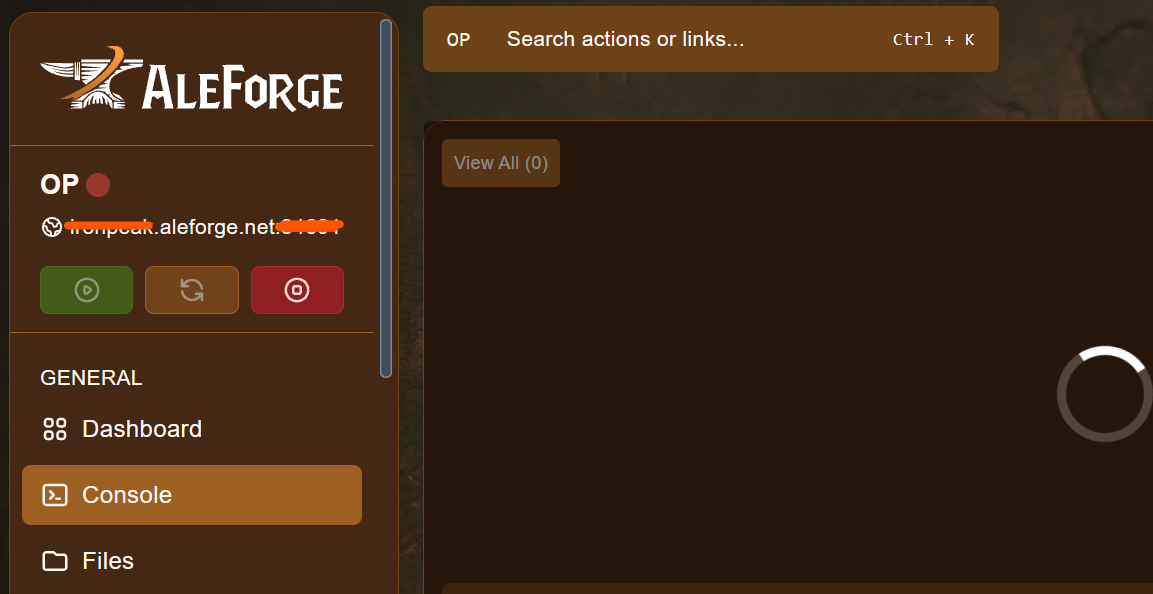
-
Open Minecraft Bedrock.
-
Click Play.
-
Select Servers.

-
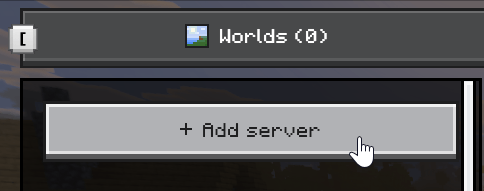
Click Add server.
-
Give your server a name. Then, under Server address, enter the IP or hostname of your server. For example:
play.aleforge.net -
Under Port, enter the numbers after the colon in your address. For example:
12345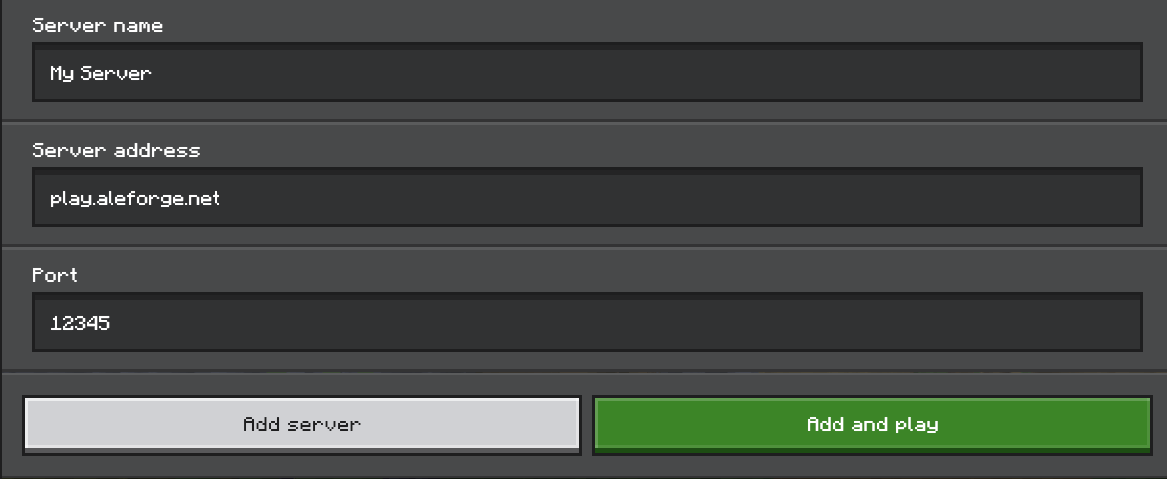
-
Select Add and play and you will begin connecting to your server.
The hostname and port above are examples only. Use the ones shown in your own panel.
Self-Hosting or Other Providers
Section titled “Self-Hosting or Other Providers”Use these steps if you host the server yourself or with another provider.
-
Find the IP address of your server. If you’re self-hosting, you can use a website such as https://www.whatismyip.com/ to find your IP.
-
For the port, use the one you configured on your server.
-
Open Minecraft Bedrock.
-
Click Play.
-
Select Servers.
-
Click Add server.
-
Give your server a name. Then, under Server address, enter the IP or hostname of your server.
-
Under Port, enter the port you configured on your server.
-
Select Add and play and you will begin connecting to your server.
Inviting Friends
Section titled “Inviting Friends”Share the same address and port with your friends. They can follow the steps above to add and join your server.
Troubleshooting
Section titled “Troubleshooting”| Problem | What to try |
|---|---|
| Can’t connect | Check that the server is running and has finished starting. |
| Wrong address or port | Re-check both values. Even one wrong digit will stop the connection. |
| Port missing | Make sure you entered the number after the colon in the Port field, not in the address field. |
| Self-hosted server not reachable | Make sure the server’s port is open and forwarded on your router and firewall. |
Console Players
Section titled “Console Players”Console editions can’t add a server by IP address directly. See the guide on how console players can join Minecraft servers for community workarounds.