

How to Install Mods to a Core Keeper Server
To install mods on your Core Keeper server, first you will need some mods The most popular mod site for Core Keeper is mod.io
Installing Mods on your Core Keeper Server
Section titled “Installing Mods on your Core Keeper Server”Using the Blacksmith’s Portal
Section titled “Using the Blacksmith’s Portal”- Find where your mods are installed. By default, mod.io installs mods to the directory ``C:\Users\Public\mod.io\5289\mods`
- Within this folder, you’ll find a bunch of folders with numbers for names. These are each of the mod folders downloaded. You can poke inside the mod files to find out which mod is which, or you can delete each of the folders in the
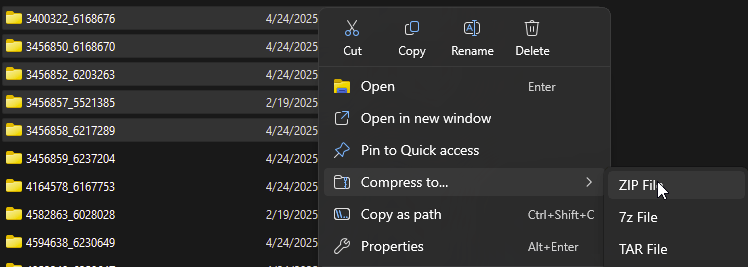
modsfolder to make Core Keeper re-download only the mods you want to use for your playthrough. - Once you have figured out which mods you would like to upload to your server, select all of them and right click on them.
- Select
Compress To -> ZIPand name the.zipfilemods.zip
- Go to the AleForge Panel
- Stop your server from the
Consolepage - Go to the
Filestab - Navigate to
/home/container/CoreKeeperServer_Data/StreamingAssets - If you do not already see a directory called
ModsclickCreate Directoryand create a folder namedMods
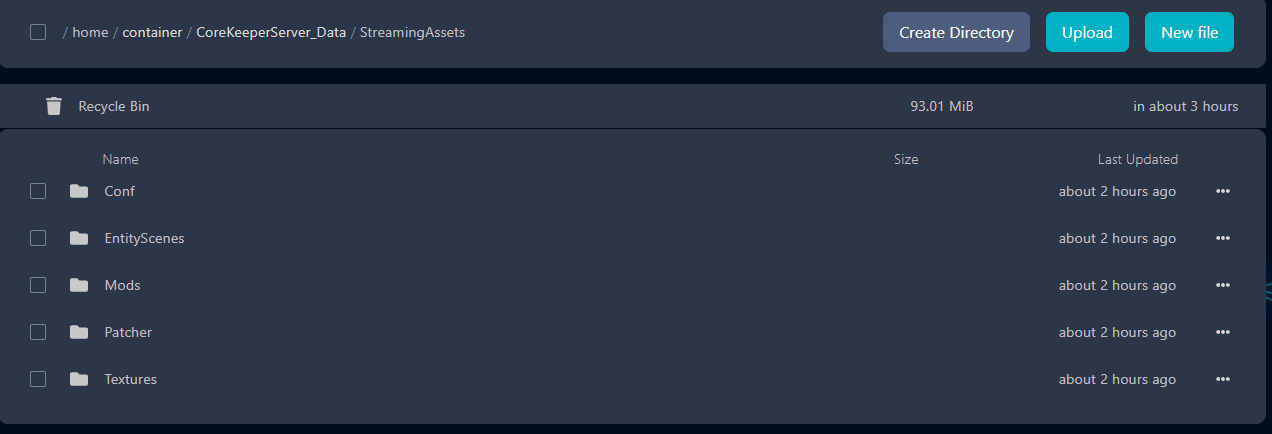
- Upload your created
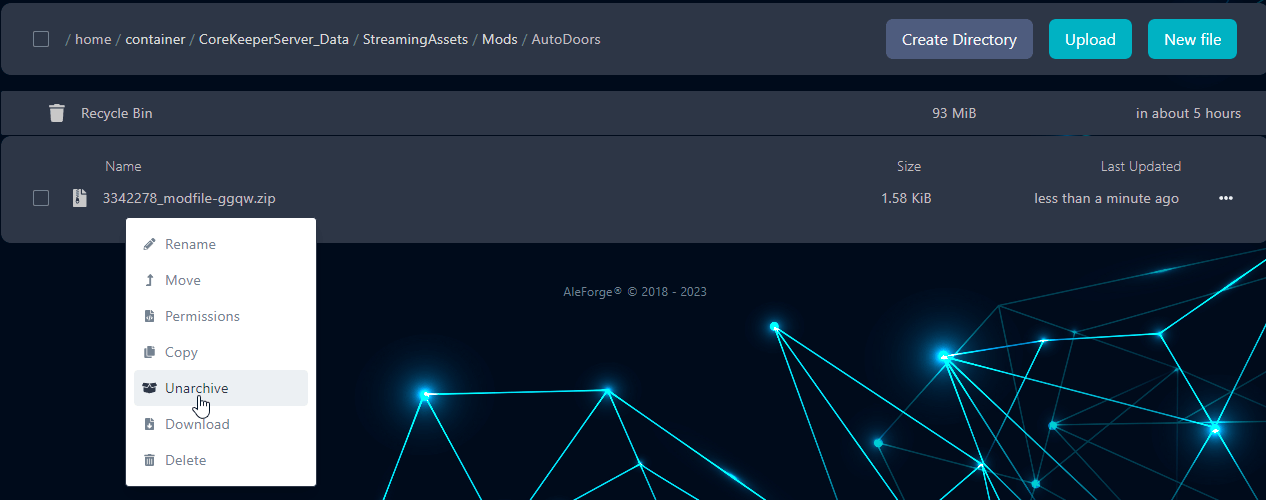
mods.zipfile here. - Unarchive the folder by right clicking on it and selecting
Unarchive
- Start your server
Self-Hosting/Other Providers
Section titled “Self-Hosting/Other Providers”- Find where your mods are installed. By default, mod.io installs mods to the directory ``C:\Users\Public\mod.io\5289\mods`
- Within this folder, you’ll find a bunch of folders with numbers for names. These are each of the mod folders downloaded. You can poke inside the mod files to find out which mod is which, or you can delete each of the folders in the
modsfolder to make Core Keeper re-download only the mods you want to use for your playthrough. - Once you have figured out which mods you would like to upload to your server, select all of them and right click on them.
- Select
Compress To -> ZIPand name the.zipfilemods.zip
- Go to where your server stores its files
- Navigate to
/CoreKeeperServer_Data/StreamingAssets - If you do not already see a directory called
Modscreate one namedMods - Upload your created
mods.zipfile to this directory. - Unarchive your
mods.zipfile here - Start your server