

How to Set a Holdfast Server Password
Setting a server password restricts access to only players who know the password. This is essential for line battles, regiment practices, competitive events, or any private session.
Setting Your Server Password
Section titled “Setting Your Server Password”Using the Blacksmith’s Portal
Section titled “Using the Blacksmith’s Portal”- Open the Blacksmith’s Portal
- Select your Holdfast server
- Go to
Startup - Set
SERVER PASSWORDto your desired value. Leave blank if you want the server public.
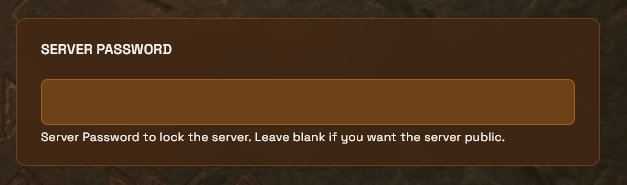
- Restart your server
Players will be prompted for the password when joining from the server browser or via direct connect.
Self-Hosting/Other Providers
Section titled “Self-Hosting/Other Providers”- Open your Holdfast config file
- Uncomment and set the password line:
server_password mypassword- Restart your server
How Password Protection Works
Section titled “How Password Protection Works”- Server browser: Your server appears with a lock icon. Players see the name, player count, map, and game mode, but can’t join without the password.
- Direct connect: Players are prompted for the password when connecting by IP.
- Sharing: Distribute passwords through Discord or private messages. Don’t put the password in your server name.
Removing the Password
Section titled “Removing the Password”Using the Blacksmith’s Portal
Section titled “Using the Blacksmith’s Portal”- Go to
Startup - Clear the
SERVER PASSWORDfield - Restart your server
Self-Hosting/Other Providers
Section titled “Self-Hosting/Other Providers”- Comment out or remove the
server_passwordline in your config file - Restart your server
When to Use a Password
Section titled “When to Use a Password”| Scenario | Recommendation |
|---|---|
| Line battles | Password and share with participating regiments |
| Regiment training | Password during drills, remove afterward |
| Competitive matches | Share password for match duration only |
| Public play | No password |
| Server maintenance | Temporary password while making changes |
Note: The server password controls who can join. Admin access is managed separately in your config file. See Holdfast Server Admins.