

How do I change the playstyle of my Project Zomboid server?
Project Zomboid has a number of different options that you can tinker with to make the game play exactly how you want. Many of these options are accessible and changeable right in game. Here we’ll show you how to do that.
Adjusting Playstyle to a Preset
Section titled “Adjusting Playstyle to a Preset”- Connect to your server with an admin account
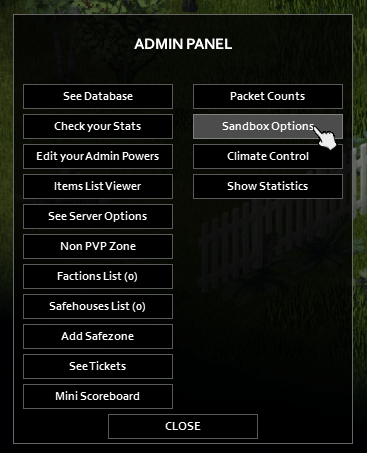
- Open the
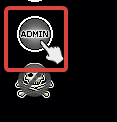
Admin Panelby clicking the button labeledAdminon the left
- Select
Sandbox Options
- Here you can see the playstyle presets
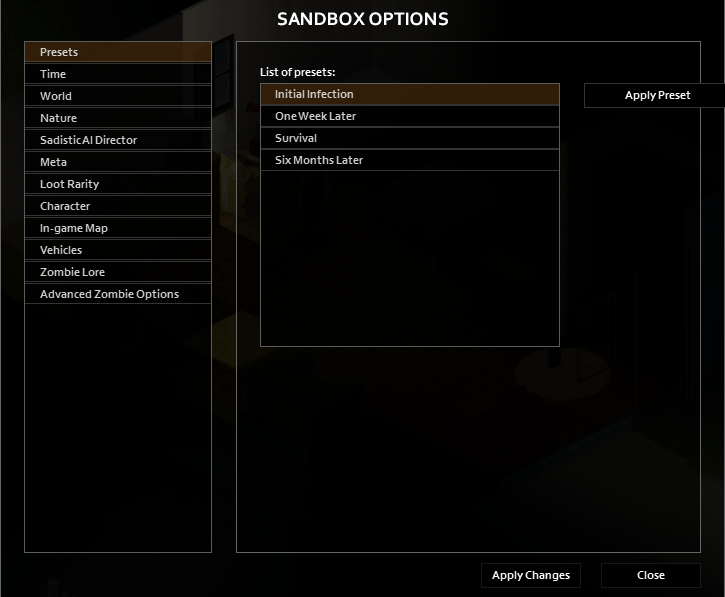
These presets have the following settings.
| Preset | Resources | Zombie Speed | Zombie Senses | Horde Size | Utility Shut-Off |
|---|---|---|---|---|---|
| Initial Infection | Abundant | Shamblers | Poor | Small | 6-12 Months |
| One Week Later | Common | Fast Shamblers | Poor | Moderate | 2-6 Months |
| Survival | Rare | Fast Shamblers | Normal | Huge | 0-30 Days |
| Six Months Later | Rare | Fast Shamblers | Normal | Large | Instant |
When you’ve chosen a preset you like, simply click Apply Preset and Apply Changes and your world will now use that preset.
Creating a custom playstyle
Section titled “Creating a custom playstyle”If you don’t like any of the playstyle presets, you can always just make your own
- Open Sandbox options by following the previous instructions
- Choose a preset to act as your base settings
- Go through each tab on the left and change settings accordingly
- Click
Apply Changesand close out of the tab