

How do I become an admin on my Icarus server?
Icarus allows you to set admins for your server, allowing them access to commands to administrate player connections.
Setting an Admin in Icarus
Section titled “Setting an Admin in Icarus”Using Blacksmith’s Portal
Section titled “Using Blacksmith’s Portal”- Open the Blacksmith’s Portal
- Go to
Startup - Set the
Admin Passwordserver’sand take note of it.
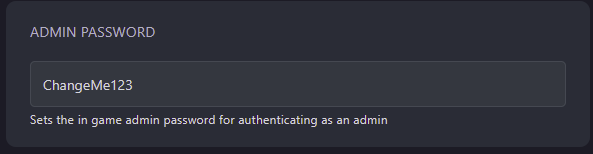
- Restart your server
- Launch Icarus and connect to your server
- In the chat, enter the command
/AdminLogin <Admin Password>
You’ll now be set as an admin on your server!
Self-Hosting/Other Providers
Section titled “Self-Hosting/Other Providers”- Go to your servers files
- Open the Startup script for your server
- Open the config file located at
Icarus/Saved/Config/WindowsServer/ServerSettings.ini - Change
AdminPassword=to your desired admin password - Restart your server
- Launch Icarus and connect to your server
- In the chat, enter the command
/AdminLogin <Admin Password>
You’ll now be set as an admin on your server!