

How do I add a custom map to my Rust server?
This guide will walk you through adding a custom map to your server. You’ll need Oxide installed on your server to add a custom map. By default, all AleForge servers come with Oxide installed, but if you’re self-hosting or on another host, you can check out our installation guide here.
Adding a custom map to your server
Section titled “Adding a custom map to your server”Using Blacksmith’s Portal
Section titled “Using Blacksmith’s Portal”- First, we’ll need to download the RustEdit Oxide extension located here
- Next, open the Blacksmith’s Portal
- Stop your server
- Open
Files - Upload
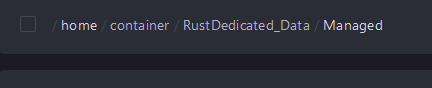
Oxide.Ext.RustEdit.dllto/RustDedicated_Data/Managed
- Go to
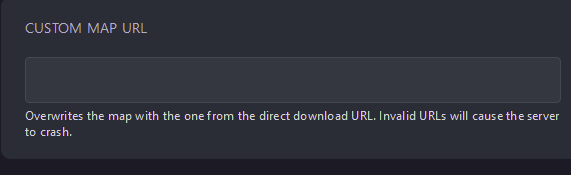
Startup - Look for
Custom Map URLand paste a link to the direct download of your custom map
- Start your server and it will download and load your custom map
Self-Hosting/Other Providers
Section titled “Self-Hosting/Other Providers”- First, we’ll need to download the RustEdit Oxide extension located here
- Stop your server
- Open
Files - Upload
Oxide.Ext.RustEdit.dllto/RustDedicated_Data/Managed - Navigate to your
server.cfgfile - Add
levelurl "<directdownloadlinktoyourmap>"line to yourserver.cfg - Save your changes
- Start your server and it will download and load your custom map