

How to change the size of your ECO server
You can configure your ECO server to generate a larger or smaller world. Here’s how you can do that.
- Go to the AleForge Panel
- Go to the
File Manager - Open
Config/WorldGenerator.eco - Change
WorldLengthandWorldWidthto your desired values. These must be divisible by 4.
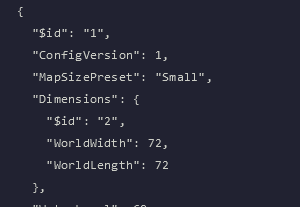
World size only applies when Eco generates a new world. After changing these values, reset your world so the server regenerates with the new dimensions.