

How do I enable Crossplay on my 7 Days to Die server?
With the release of 7 Days to Die 2.0, you can now enable crossplay on your server, allowing players from other platforms to ability to connect.
There is a short list of options that need to be enabled to enable crossplay. We’ll show you what you need to enable and how to enable.
Enabling Crossplay
Section titled “Enabling Crossplay”Using the Blacksmith’s Portal
Section titled “Using the Blacksmith’s Portal”Here’s what you need to do to enable crossplay.
- Open the Blacksmith’s Portal
- Go to
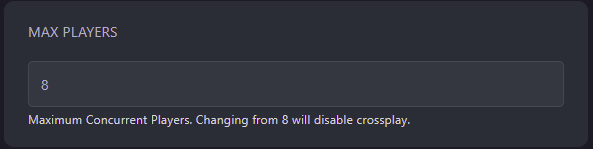
Startup - Set
Max Playersto 8 or less. Setting it over 8 will disable crossplay
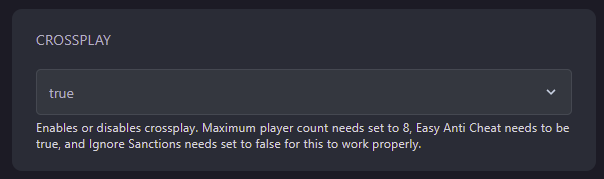
- Set
Crossplaytotrue
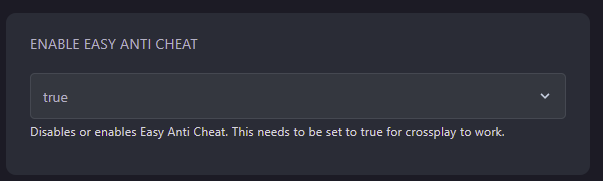
- Set
Enable Easy Anti Cheatto true
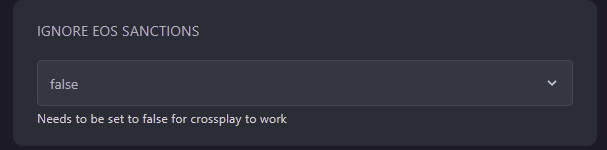
- Set
Ignore EOS Sanctionsto false
Now your server will start with crossplay enabled!
Self-Hosting/Other Providers
Section titled “Self-Hosting/Other Providers”- Open your servers files
- Open
serverconfig.xml - Set
ServerMaxPlayerCountto 8 or less. Setting it over 8 will disable crossplay. - Set
ServerAllowCrossplaytotrue - Set
EACEnabledtotrue - Set
IgnoreEOSSAnctionstofalse - When you are finished, your config file should look similar to this
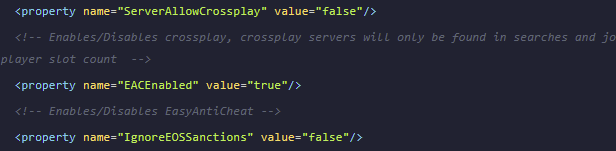
- Restart your server and crossplay will be enabled