

How to Change Your Holdfast Server Name
The server name is what players see when browsing for Holdfast servers. A clear, descriptive name helps players find your server and understand what to expect.
Changing Your Server Name
Section titled “Changing Your Server Name”Using the Blacksmith’s Portal
Section titled “Using the Blacksmith’s Portal”- Open the Blacksmith’s Portal
- Select your Holdfast server
- Go to
Startup - Change
SERVER NAMEto your desired value
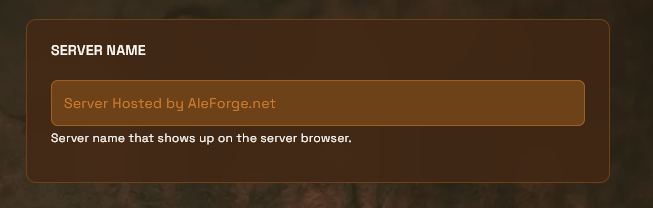
- Restart your server
The new name will appear in the Holdfast server browser once the server finishes starting.
Self-Hosting/Other Providers
Section titled “Self-Hosting/Other Providers”- Open your Holdfast config file (for example,
serverconfig_myserver.txt) - Set the
server_namevalue:
server_name My Custom Server- Restart your server
Per the Holdfast wiki, also set server_region (for example, europe or usa) so your server appears in the correct regional browser filter.
Server Naming Tips
Section titled “Server Naming Tips”- Include the game mode: Army Battlefield, Army Siege, or Naval Battlefield
- Add your region:
[US East],[EU], or[AU]helps players find low-ping servers - Mention event type: Line Battle, Public, or Casual
- Include community name: Add your regiment or group name
- Keep it readable: Avoid excessive symbols or ALL CAPS
Example names:
[US East] Army Battlefield | New Players Welcome[EU] Line Battle Events | 33rd Regiment[AU] Army Siege | Casual Play
Holdfast Community Conventions
Section titled “Holdfast Community Conventions”- Line battle servers include
LBorLine Battlein the name - Public servers include
Publicfor casual open play - Event servers are usually passworded with the event or regiment name
- Training servers include
TrainingorDrill
Note: If your server name isn’t updating after a restart, check
Consoleon the Blacksmith’s Portal. It can take a minute to propagate to the master server list.