

How do I add mods to my Necesse world?
Finding Your Mods
Section titled “Finding Your Mods”To add mods to Necesse, you will have to download mods from the Steam Workshop.
Next, navigate to the install directory for Necesse workshop mods. It will look something like this; C:\Program Files(x86)\Steam\steamapps\workshop\content\1169040
Uploading Your Mods
Section titled “Uploading Your Mods”You will see a bunch of folders with numbers for names. Inside each of these folders is a .jar file. You will have to upload these .jar files to the mods folder on your server.
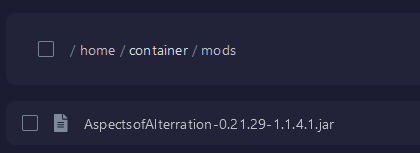
Once you have your mods installed in the folder, give your server a restart and your server will load all of the mods you installed.