

How do I disable anti-cheat on my ARK: Survival Evolved server?
You may want to disable Battle Eye Anti-Cheat on your server to allow previously banned players to connect to your server. Here’s how you can do that.
Disabling Anti-Cheat
Section titled “Disabling Anti-Cheat”Using the Blacksmith’s Portal
Section titled “Using the Blacksmith’s Portal”- Open the Blacksmith’s Portal
- Go to
Startup - Toggle
Battle-Eyeoff
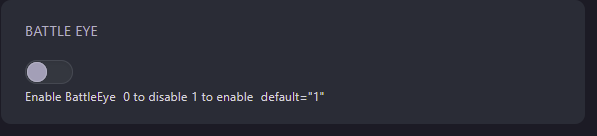
- Restart your server
Self-Hosting/Other Providers
Section titled “Self-Hosting/Other Providers”- Open your servers installation directory
- Open the startup script for your server
- Add the following line
-NoBattleEyeto the end of the script - Restart your server