

How do I use Game Swap?
Game Swap is an AleForge Panel exclusive feature that allows our customers to switch their game server between any of our hosted games. Combined with Server Splitter, customers can run multiple servers of different games off of one plan, by storing more than one game in its own slot and switching between them whenever they like.
Check your resources first. Customers are responsible for ensuring their current plan has enough resources to support the game they switch to. If you are unsure, contact support before switching games.
How Game Swap Works
Section titled “How Game Swap Works”Game Swap stores each game you install in its own slot. One slot is always your active instance, the game that’s actually running. The others are stored, saved and ready to switch back to at any time, or left empty, ready for a new installation.
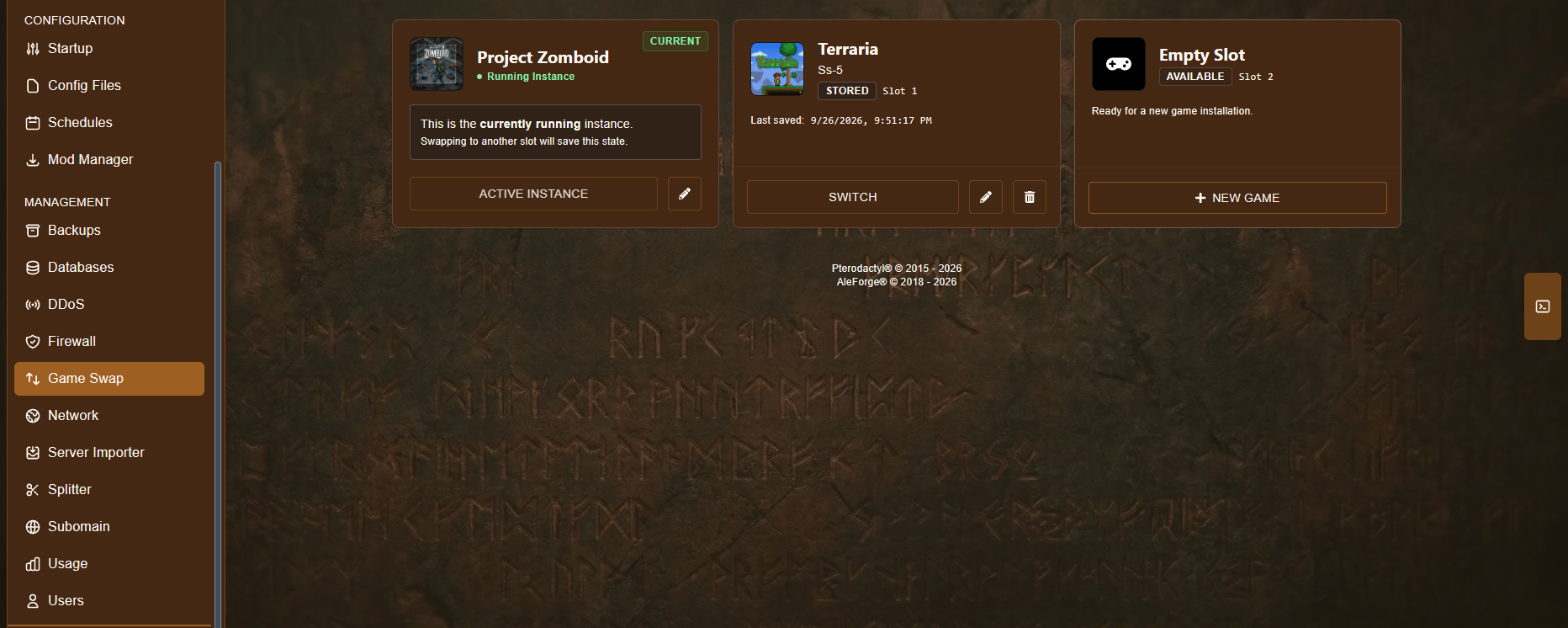
- Current / Running Instance — the game currently running on your server. Switching to another slot will save this instance’s state before swapping.
- Stored — a game you’ve swapped away from previously. It keeps its last saved data, so you can switch back to it later without losing progress.
- Empty Slot — a slot with nothing installed yet, ready for a new game.
How to Swap Games
Section titled “How to Swap Games”-
Go to the AleForge Panel.
-
Open your server and go to Game Swap in the sidebar, under Configuration.
-
Decide what you want to do:
- To install a brand new game in an empty slot, click New Game on that slot.
- To switch back to a game you’ve already stored, click Switch on that slot.
-
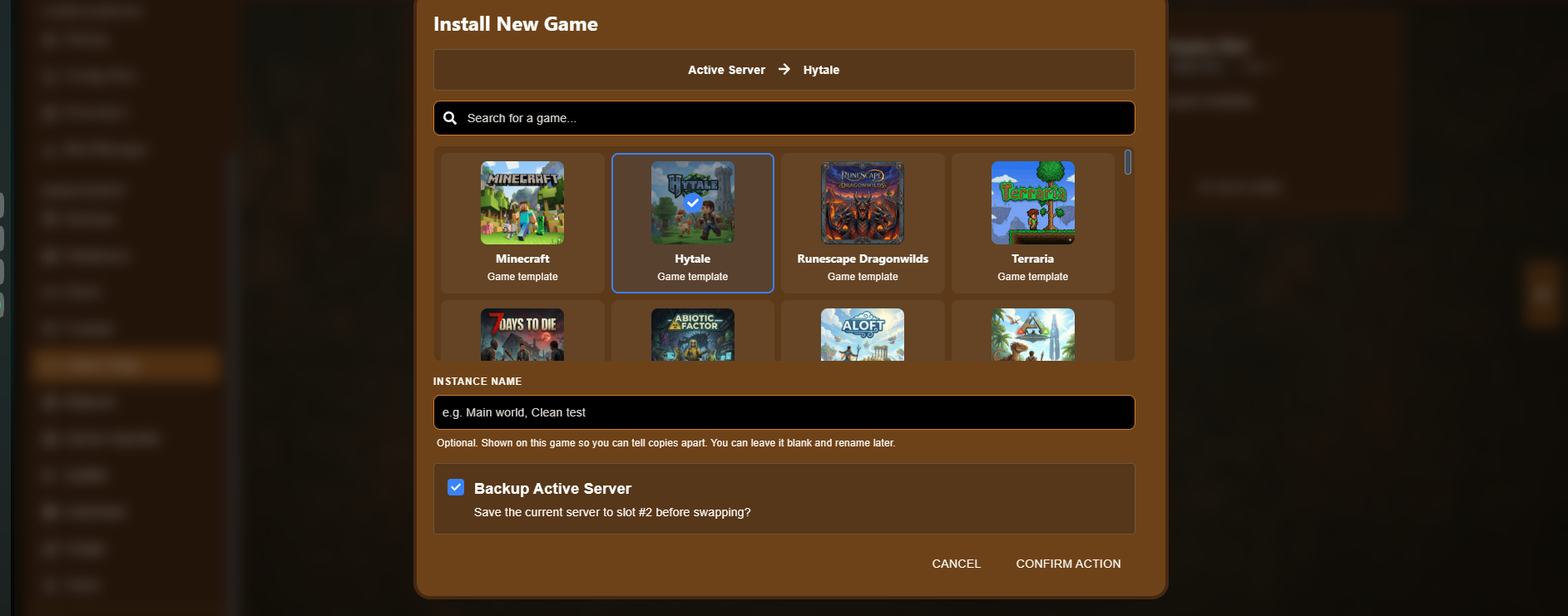
A window titled Install New Game opens, showing which slot you’re changing (for example, Active Server → Hytale).
-
Use the search bar or scroll through the grid to find and select the game you want to install. The selected game is highlighted with a checkmark.
-
(Optional) Enter an Instance Name, such as “Main world” or “Clean test.” This is only shown on this game slot to help you tell copies apart, and can be left blank and renamed later.
-
Check Backup Active Server if you want to save your current server before swapping. This is checked by default, and is highly recommended, since it keeps your current game’s data safe in its own slot instead of being overwritten.
-
Click Confirm Action to start the swap, or Cancel to back out without changing anything.
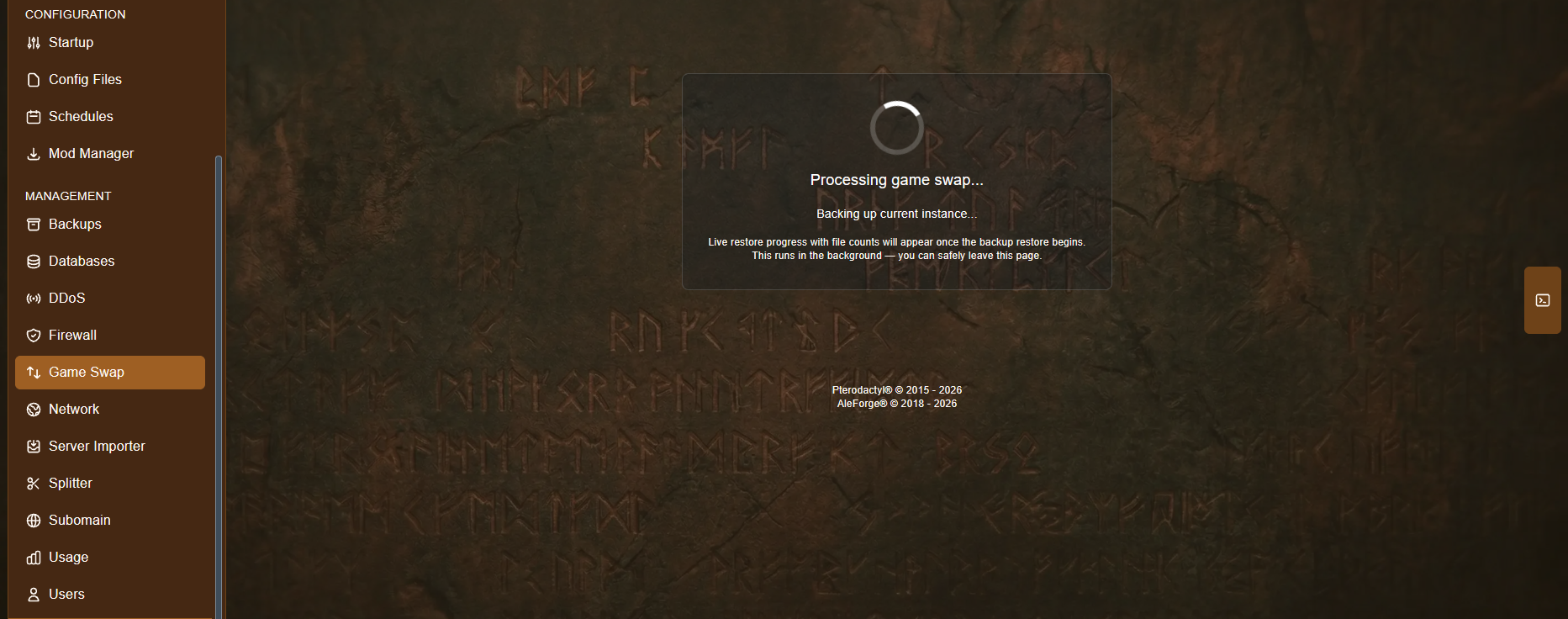
The panel will show a Processing game swap screen while it backs up your current instance and installs the new game. This runs in the background, so you can safely leave the page and come back later.
- Once the swap finishes, go to the Startup page to customize your new server’s settings.
- Start your new server and have fun.
Switching Back
Section titled “Switching Back”Since your previous game is kept in its own stored slot, you don’t need to reinstall anything to go back to it. Just open Game Swap, find that slot, and click Switch. Your current instance will be backed up the same way, so nothing is lost either way.
Troubleshooting
Section titled “Troubleshooting”If the panel hangs on restoring from a backup or running the installer, see Game Swap or Install Stuck.