

How do I use ForgeMaster Discord Bot?
AleForge provides a Discord bot named ForgeMaster to allow customers to manage their servers and display their status in the AleForge Discord or customers’ own Discord channels.
How do I use ForgeMaster in AleForge
Section titled “How do I use ForgeMaster in AleForge”To get started to be able to use ForgeMaster in you need to complete a few steps.
AleForge will provide limited support for using ForgeMaster outside our Discord server. Use at your own risk.
- Open the AleForge panel and go to the API page
- Add a Description and click
Create - Copy the provided API key. It will only be displayed once
- Next, go to #bot-commands in Discord
- Input the command
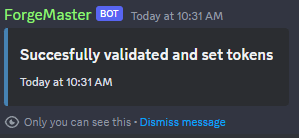
/userconfand input your token. Once done, hit enter, and the bot will store your API key to your Discord user.
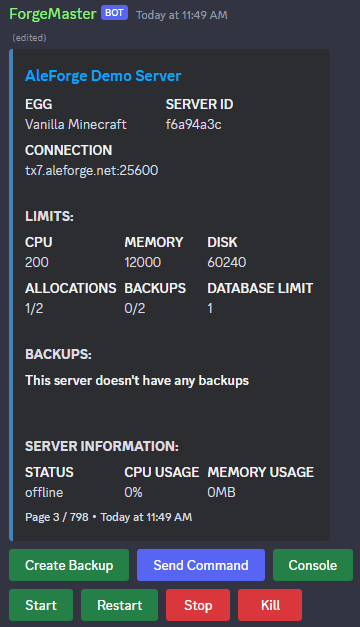
- Once the API key is set run the /servers command to and your servers should be shown.
Inviting ForgeMaster to Your Discord Server
Section titled “Inviting ForgeMaster to Your Discord Server”You can also run ForgeMaster on your own Discord server.
- Open the AleForge panel and go to the API page
- Add a Description and click
Create - Copy the provided API key. It will only be displayed once
- Invite the bot to your server using this link
https://discord.com/oauth2/authorize?permissions=395204324416&scope=bot%20applications.commands%20applications.commands.permissions.update&client_id=1211686667333799976
- Once the bot joins your server, run
/set adminrole youradminrole - Next, run
/set tokens yourapitokento set up your admin - Now run
/serversto verify the token is functioning
ForgeMaster Commands
Section titled “ForgeMaster Commands”| Command | Admin | User | Description |
|---|---|---|---|
| /help | 🗹 | 🗹 | Shows all commands available |
| /console | 🗹 | Shows console for 2 minutes, can be refreshed to extended time (see /liveserver for permanent) | |
| /backups | 🗹 | Shows backups, and allows to create, delete, and lock backups. | |
| /rename | 🗹 | Rename a server | |
| /send | 🗹 | Send a command to the server | |
| /servers | 🗹 | It shows all servers, and has action buttons for starting, stopping, console, etc. | |
| /userconf | 🗹 | Configure your own api key as a user | |
| /liveserver | 🗹 | Allows the creation of a server embed, which continuously updates and has buttons for starting and stopping. | |
| /set | 🗹 | A place to set bot settings |