

How do I upload my own world to my Unturned server?
To use your own world with your Unturned server follow the steps below.
Finding Your World
Section titled “Finding Your World”You can find your Unturned World by right-clicking on it in Steam and clicking Properties .
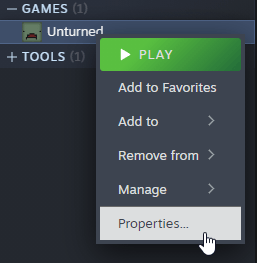
Now click Installed Files
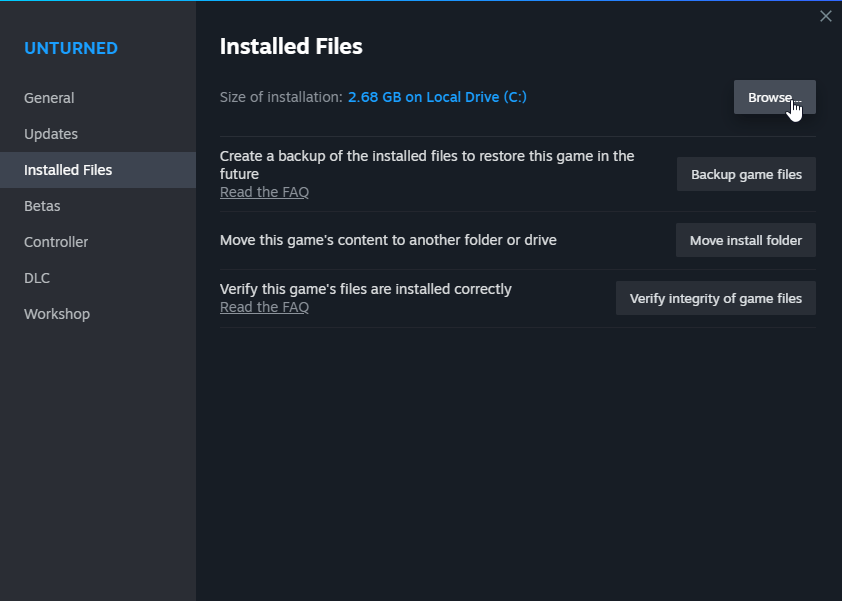
Click Browse . This will open a file explorer. Your world will be saved in
Worlds.
Open the folder of the single-player world you wish to upload.
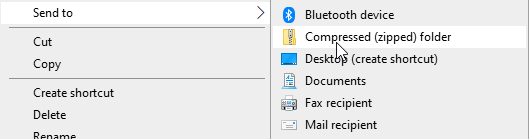
Select all the files, right-click, and select Send to -> Compressed (zipped) Folder
Now we can upload it to the server.
Uploading Your World
Section titled “Uploading Your World”- Stop your server.
- Upload your world to the
/Server/AleForge_Hostingdirectory of your server. - Unarchive your zip file on the server by right-clicking on it
- Open the
Startuptab - Change the
Mapfield to match your uploaded world. - Start your server back up from the console page