

How do I connect to my Craftopia server?
Once you have bought and started your Craftopia server, it’s time to connect and start playing. This guide shows you how to find your server’s address in the AleForge Panel and join it from inside the game using Join via IP.
Before You Begin
Section titled “Before You Begin”Make sure you have the following ready:
- A Craftopia server that has been started and finished loading
- Access to the AleForge Panel
- Craftopia installed on your computer
Tip: If the server was just started, give it a minute or two to fully load before trying to connect.
Step 1: Find Your Server’s IP and Port
Section titled “Step 1: Find Your Server’s IP and Port”-
Go to the AleForge Panel and select your Craftopia server.
-
Open Console from the server menu.
-
Find the IP and port of your server and write it down or copy it. It will look something like this:
va2.aleforge.net:12345
The part before the colon is the IP/address, and the number after the colon is the port. You need both, so copy the whole thing exactly as shown.
The address above is an example only. Your server will have its own address and port.
Step 2: Join the Server in Craftopia
Section titled “Step 2: Join the Server in Craftopia”-
Launch Craftopia.
-
Click Multiplayer.
-
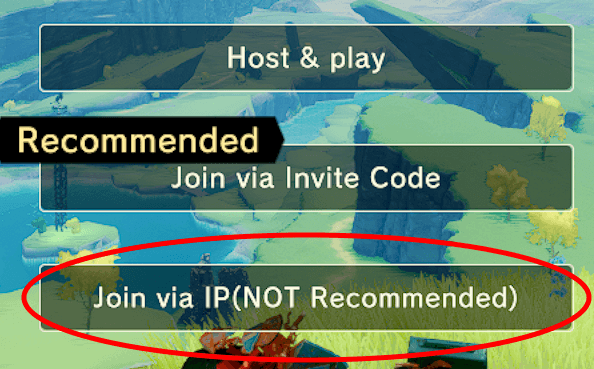
Select Join via IP.
-
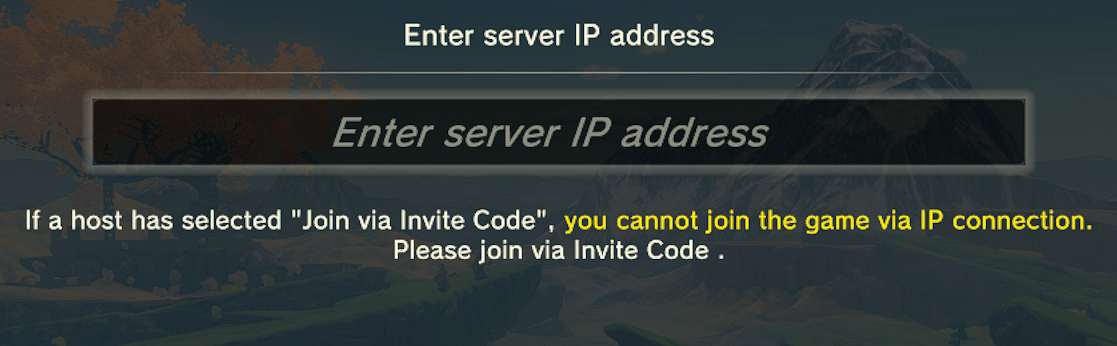
Enter the IP and port you copied from the Console page.
-
Confirm to connect. You will now be playing on your Craftopia server.
Inviting Friends
Section titled “Inviting Friends”Share the same IP and port with your friends. They can follow Step 2 above to join your server.
Troubleshooting
Section titled “Troubleshooting”If you can’t connect, try these checks:
| Problem | What to try |
|---|---|
| Connection fails or times out | Confirm the server is running in the panel and has finished starting. |
| Wrong address | Re-check the IP and port in Console. Even one wrong digit will stop the connection. |
| Address changed | If the server was moved or reinstalled, the IP or port may have changed. Copy the latest one from Console. |
| Version mismatch | Make sure your game is up to date, and the server is running the same version. |
Still Stuck?
Section titled “Still Stuck?”- Check the Console in the panel for any errors during startup.
- Restart the server and try again after it finishes loading.
- Contact AleForge support and include your server name and the time the issue occurred.